Home > API Center > API interface guide


Quick Start - Desk Phone
Register the IP phone to the platform and place calls via mobile phone/third-party carrier networks.
Desk Phone docking process
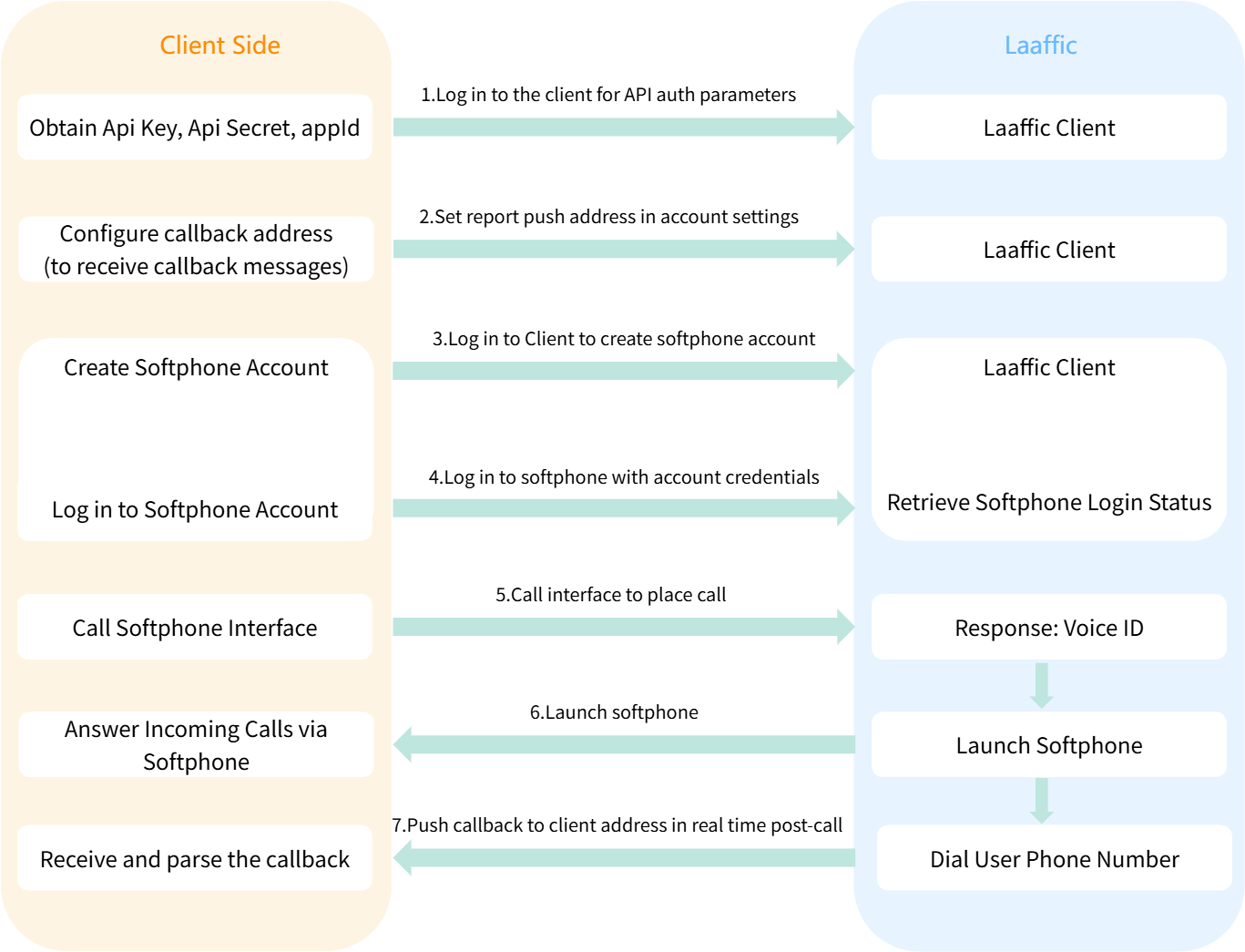
Pre-preparation
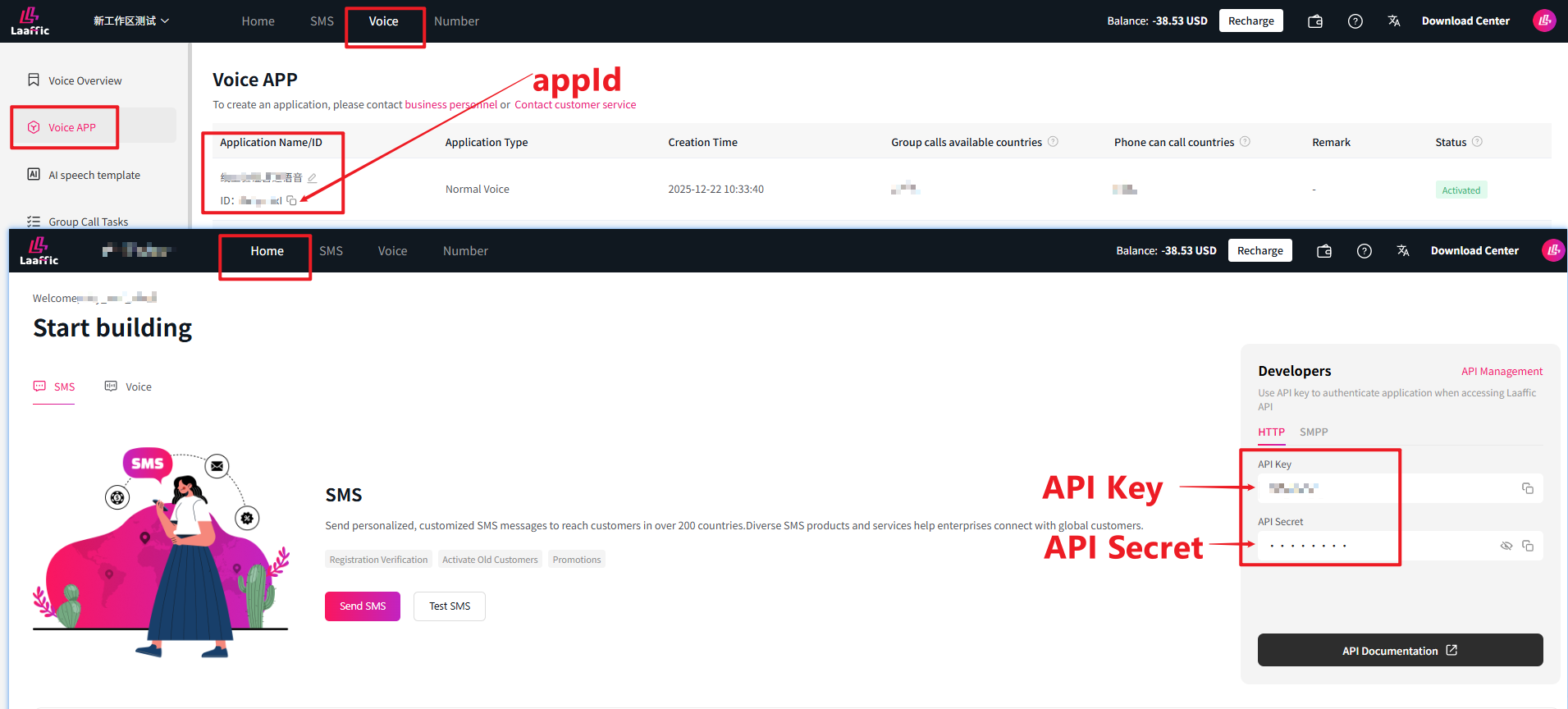
Obtain the values of API Key, API Secret, and appId.
You need to log on to the client to obtain the bitmap, as shown in the following figure.
Sign signature rule
Use Api Key + Api Secret + Timestamp to generate a MD5-32-bit string (case-insensitive) as the signature.
Example:
API Key: bDqJFiq9
API Secret: 7bz1lzh9
Current system Timestamp (seconds): 1630468800
MD5(bDqJFiq97bz1lzh91630468800): 05d7a50893e22a5c4bb3216ae3396c7c
API docking process
01Create a Desk Phone
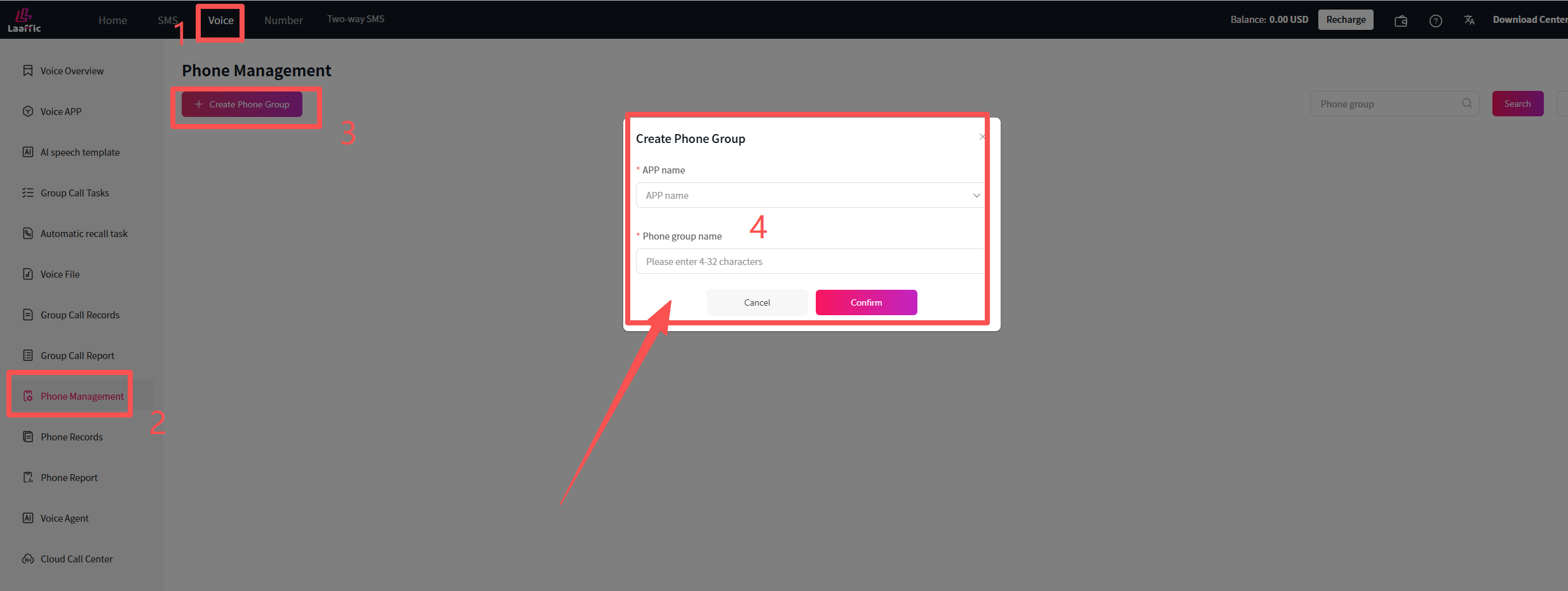
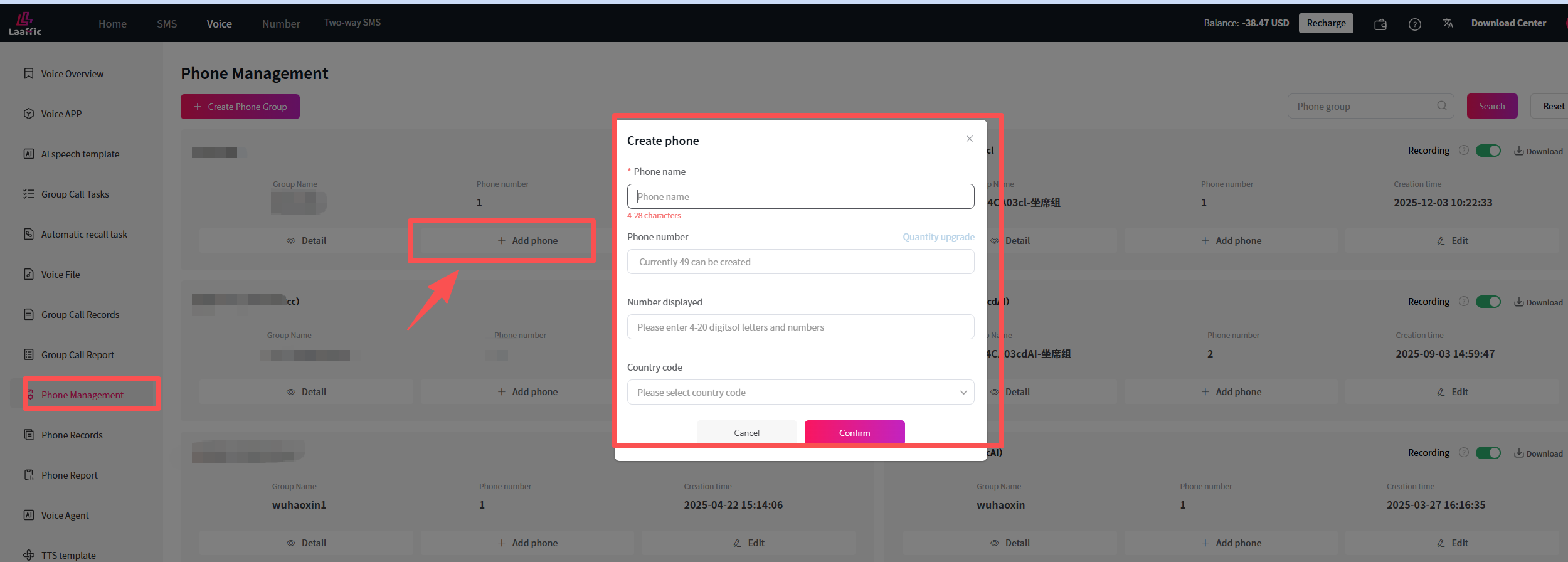
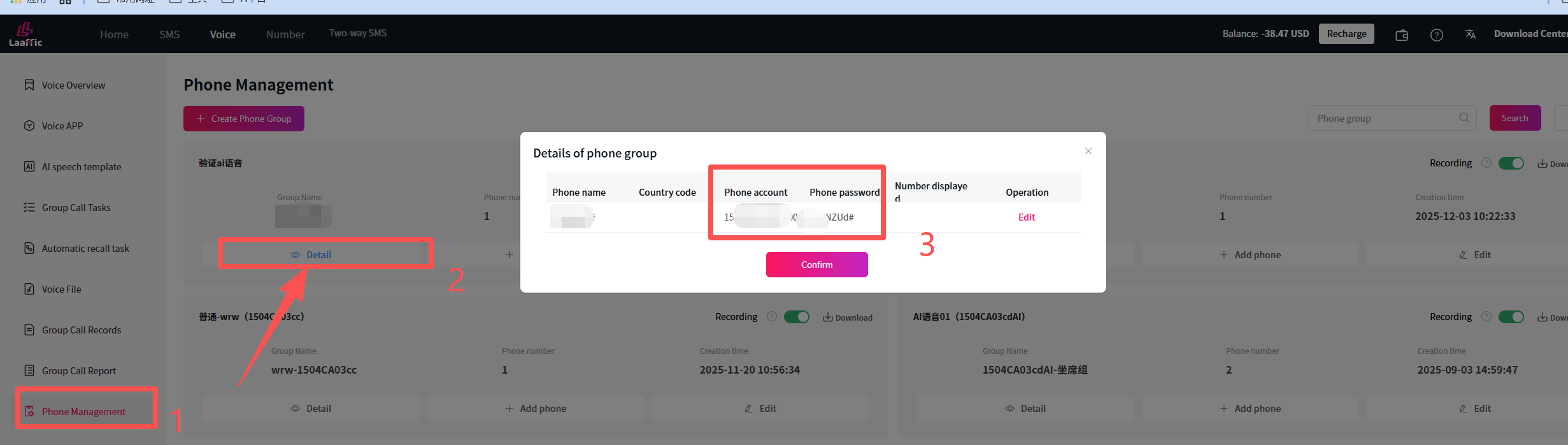
Log in to the client, create phone group on the Voice-Phone Management page, and after successful creation, click on the phone group to enter the phone details, where you can add phone.
02Call Desk Phone
According to the demand, can refer to the characteristic function, Invoke Phone Interface for passing related parameters
| Function | Parameters | Parameter Value | Remarks |
|---|---|---|---|
| Called information (not required) | calledInfo | Any information, user name/account, etc. | Can be configured according to the needs of the scene, convenient statistics user information, data analysis, etc. |
curl --location 'https://api.laaffic.com/voice/sendSip'
--header 'Content-Type: application/json;charset=UTF-8'
--header 'Sign: 3f56fdb59786d7090def63a532ca32d4'
--header 'Timestamp: 1766051105'
--header 'Api-Key: mLMnWQhR'
--header 'Cookie: JSESSIONID=2971EF93712FBBF1E28CF5BD4F3AA8AC'
--data '{
"callee":"913545445",//Called number
"account":"1653C690ab_006",//Softphone account
"appId":"sER2Ev2w" //Voice application ID
}'03Status Report Push
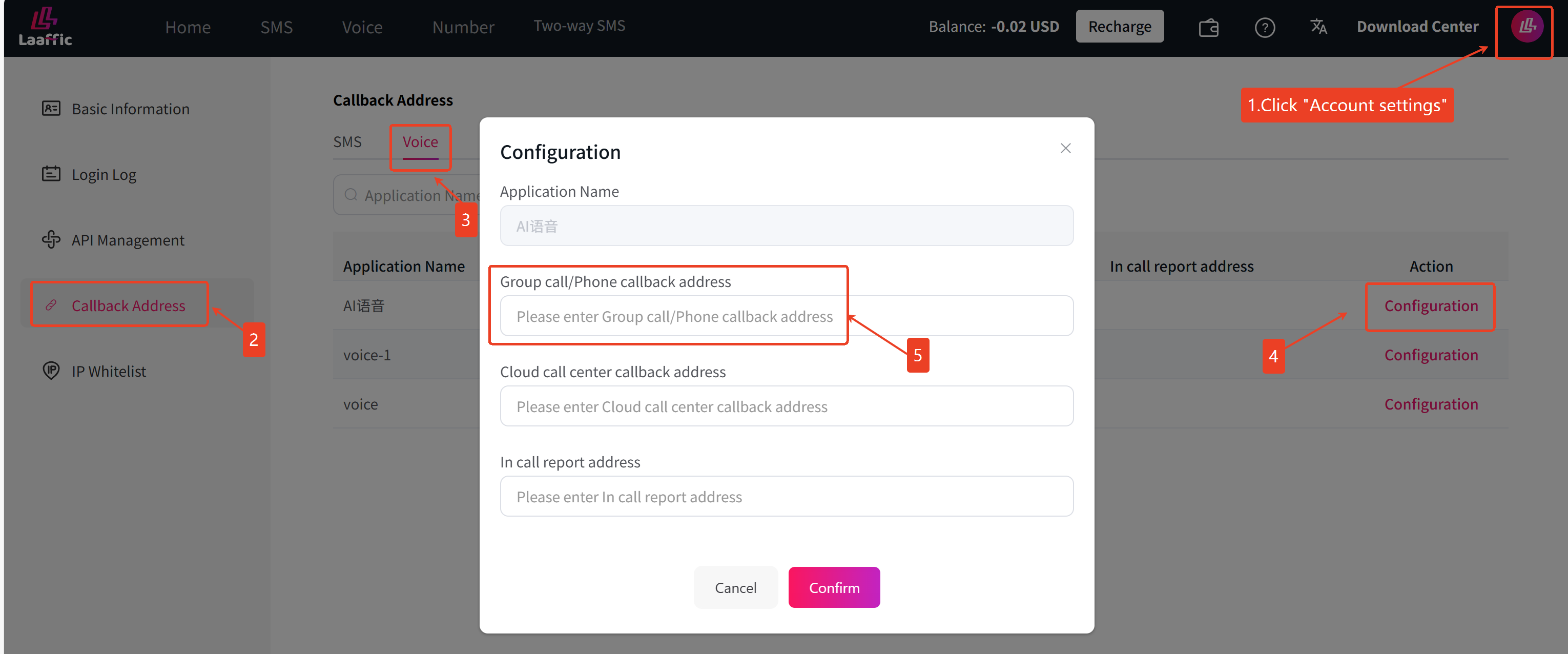
When the user configures an http push address on the account setting-voice application management page, the platform will actively push the voice and status report of the http-api to the user to configure the address
Reference Information
Quick Check of Common Error Codes
The following are several common error code causes and handling methods, which can be seen globally Global Status Code
| Status | Reason | Description |
|---|---|---|
| -1 | Authentication error | Check the parameter values of API Key, API Secret, and appId. |
| -18 | Port program unusual | Check whether the request body is in json format. |
Was this page helpful?
Questions about integration? Contact our technical support
LAAFFIC API dedicated TG technical support channel, real-time response to your needs