How to create a group call task in platform ?
Voice Group Call
Voice group call distinguishes different group call types and different sub-scenarios.
| Group Call Types | Specific Scenarios | Presentation Formats |
|---|---|---|
| IVR Voice | IVR | When the call is answered, an audio file or text-to-speech will begin playing. The call will end with button feedback, and will automatically disconnect after playback is complete. |
| IVR+SMS | When the call is answered, an audio file or text-to-speech will begin playing. The call ends with button feedback, and the call will automatically disconnect and send a configured SMS message after playback is complete. | |
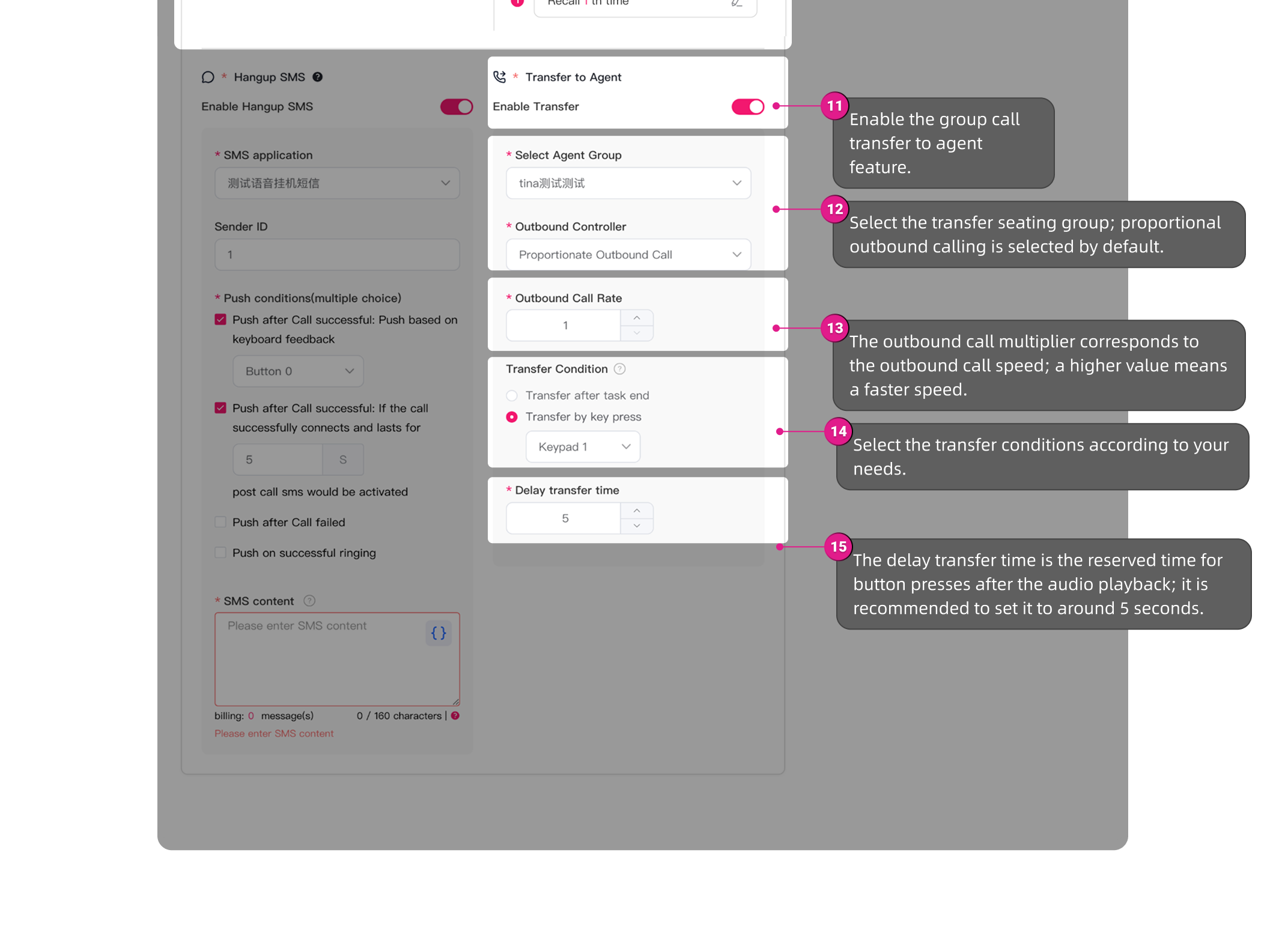
| IVR+Transfer to Agent | When the caller is answered, an audio file or text-to-speech recording will begin playing. The call can be transferred to an agent (it can be set to transfer via button presses, or transferred after the recording finishes playing). | |
| AI Voice Agent | / | When the call is answered, the voice agent will engage in a two-way conversation with the called and supports sending a text message to end the call (configured in the agent). |
| AI Voice | / | When the call is answered, the system will conduct a two-way conversation with the called party based on the AI-generated script template. It supports sending hang-up text messages and transferring the call to an agent (configured in the AI script template). |
The configuration process steps are as follows:
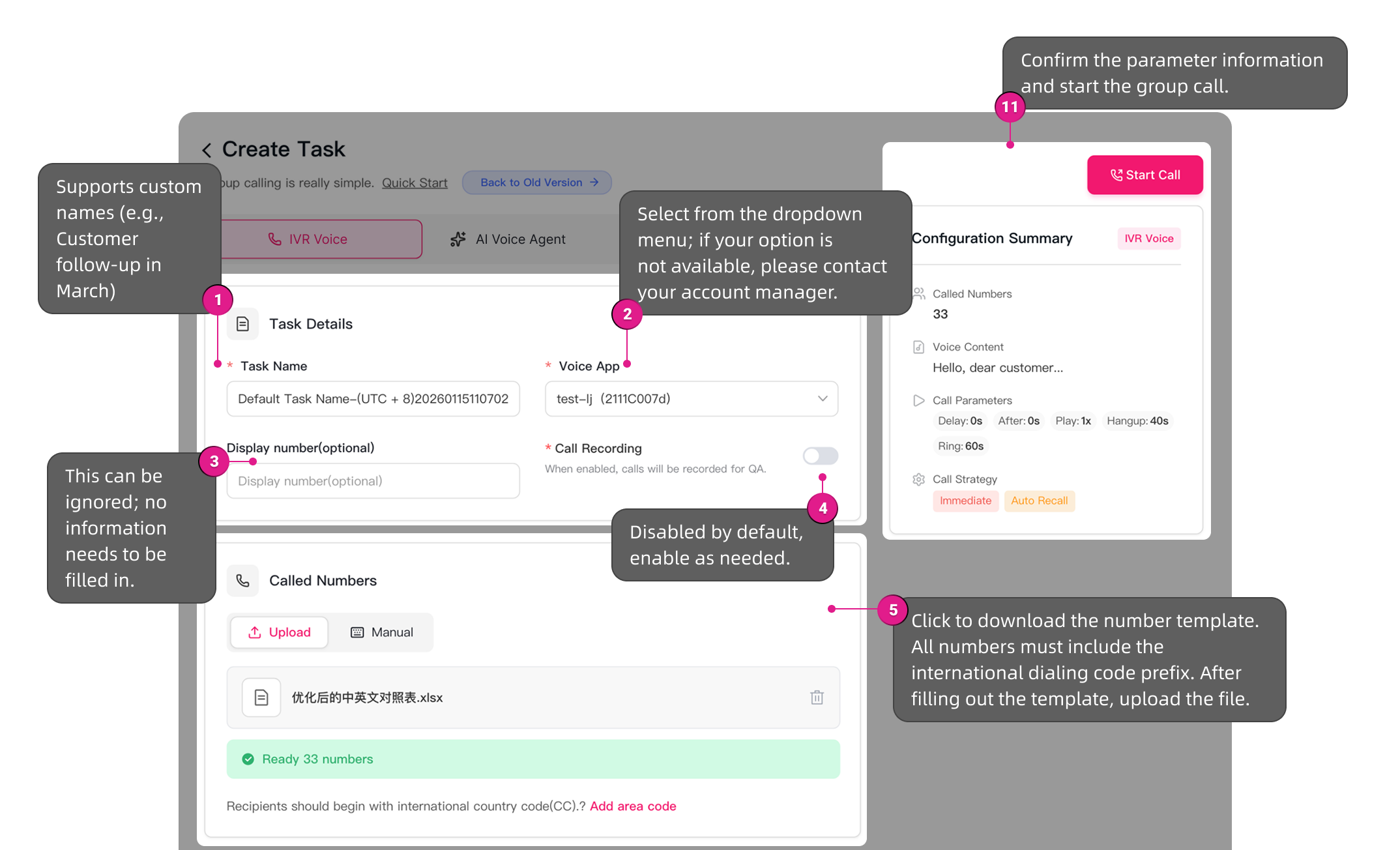
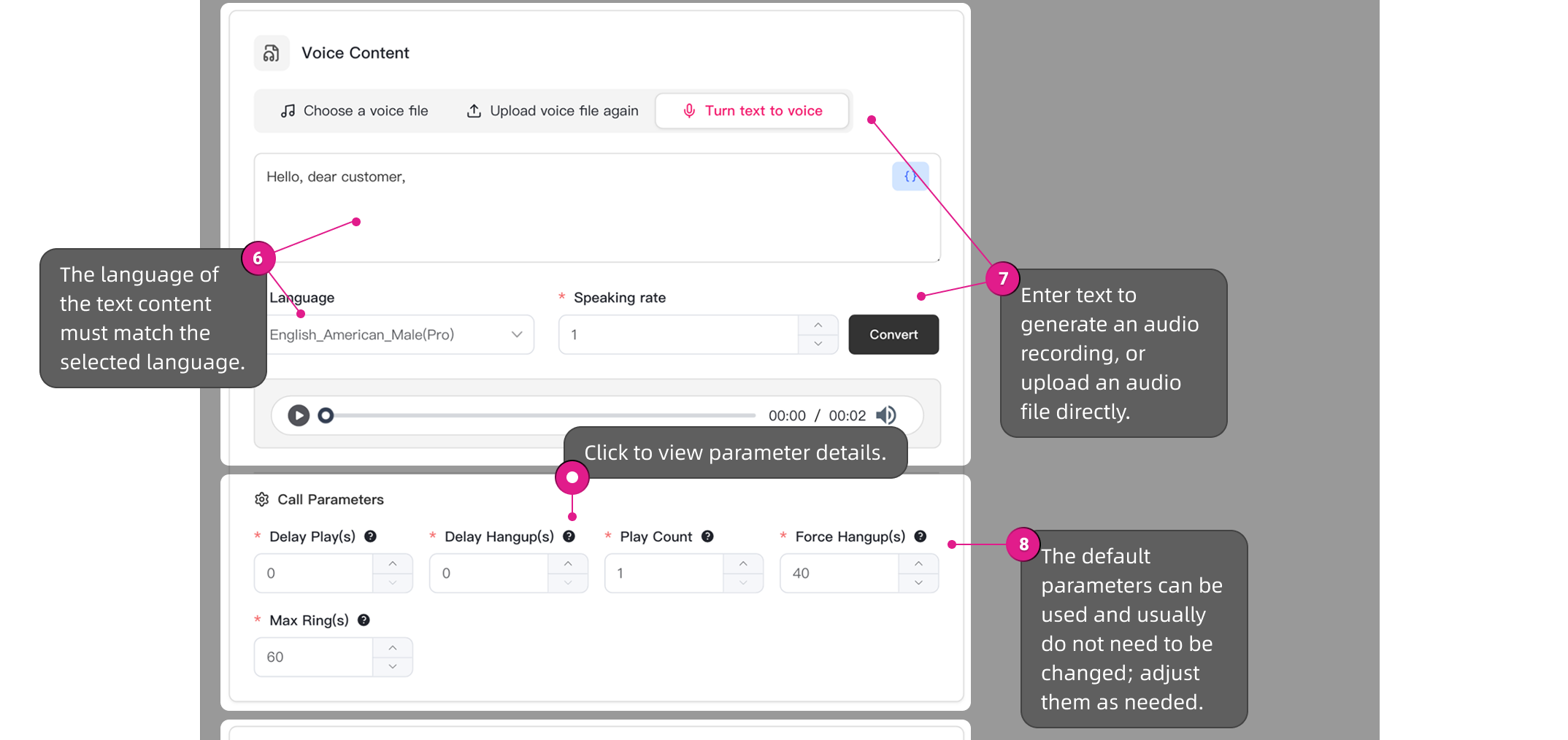
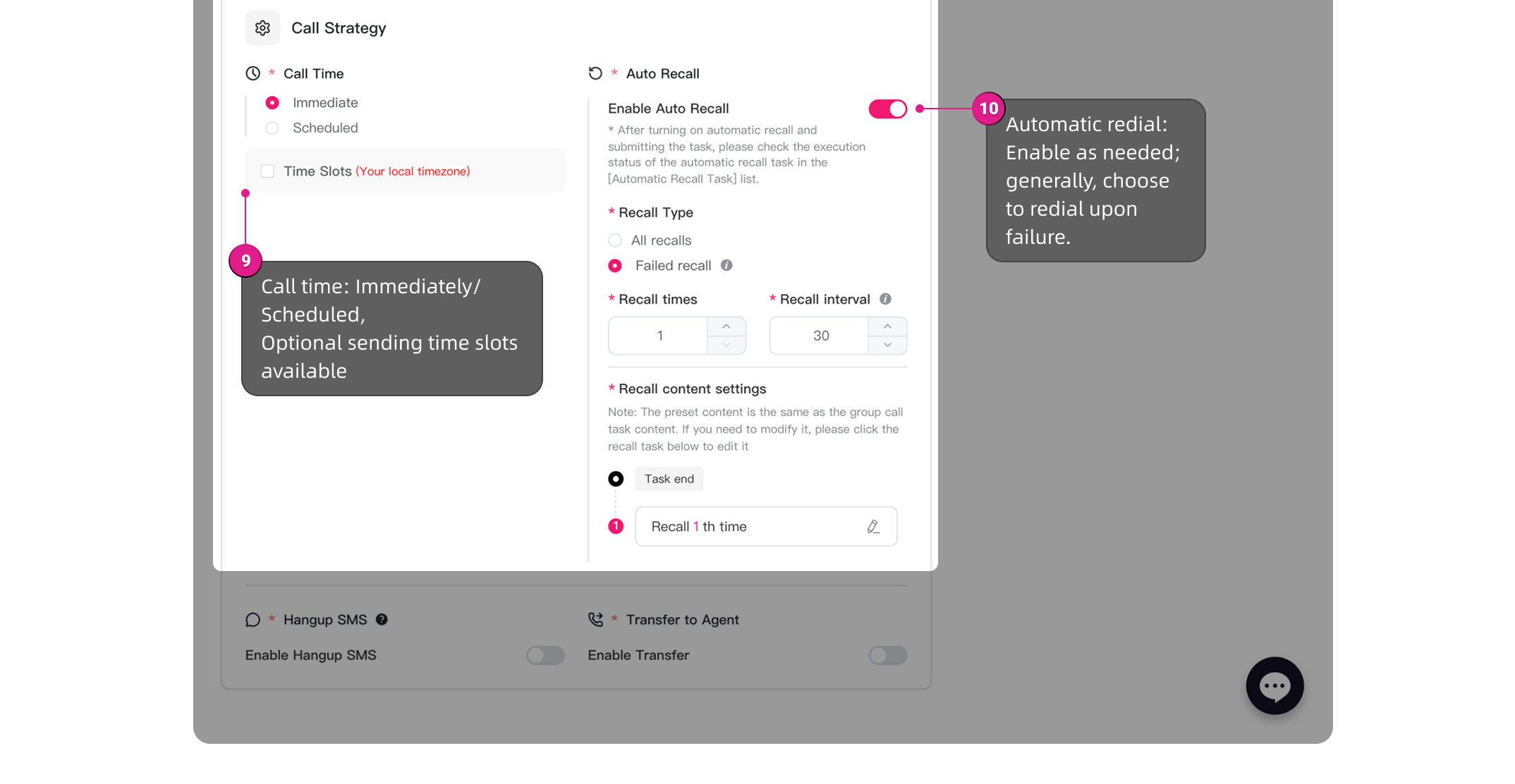
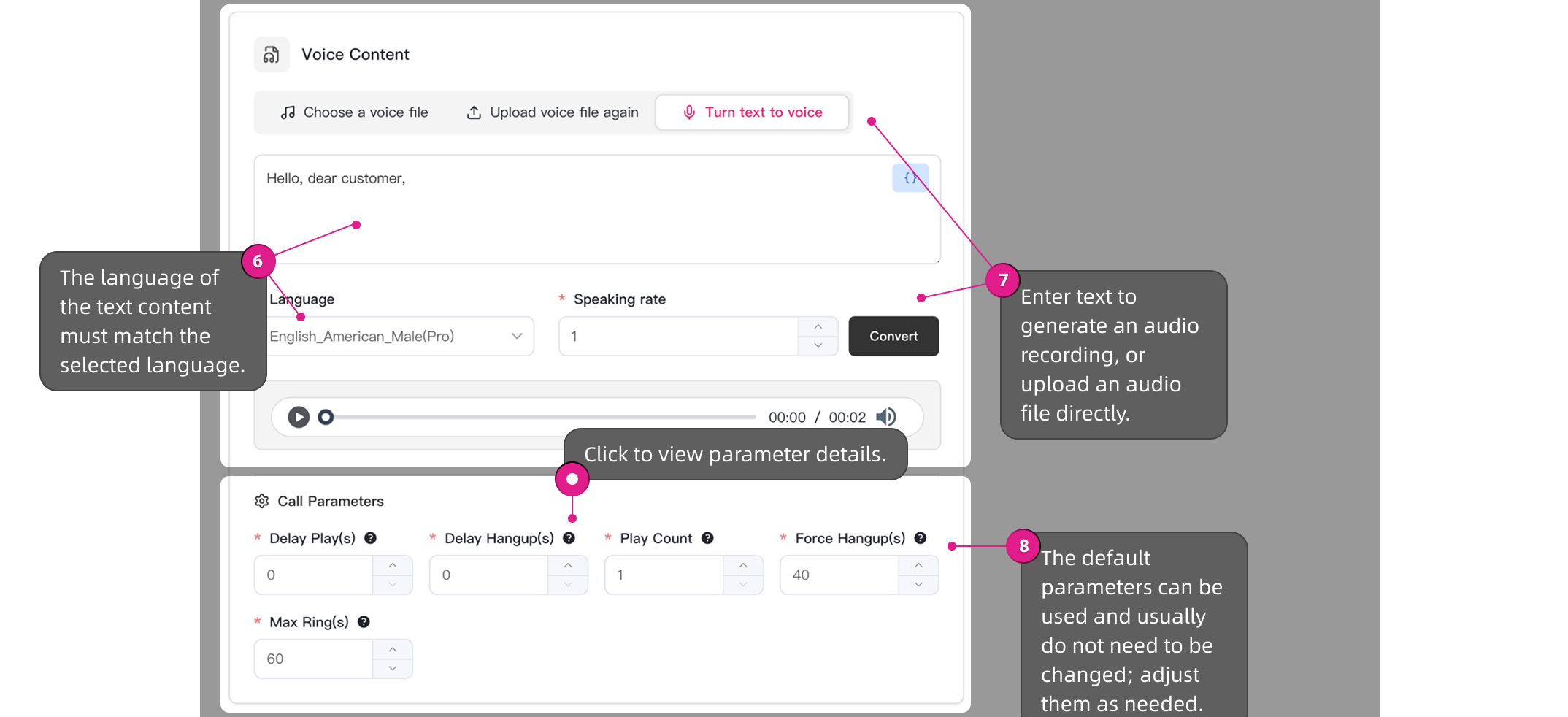
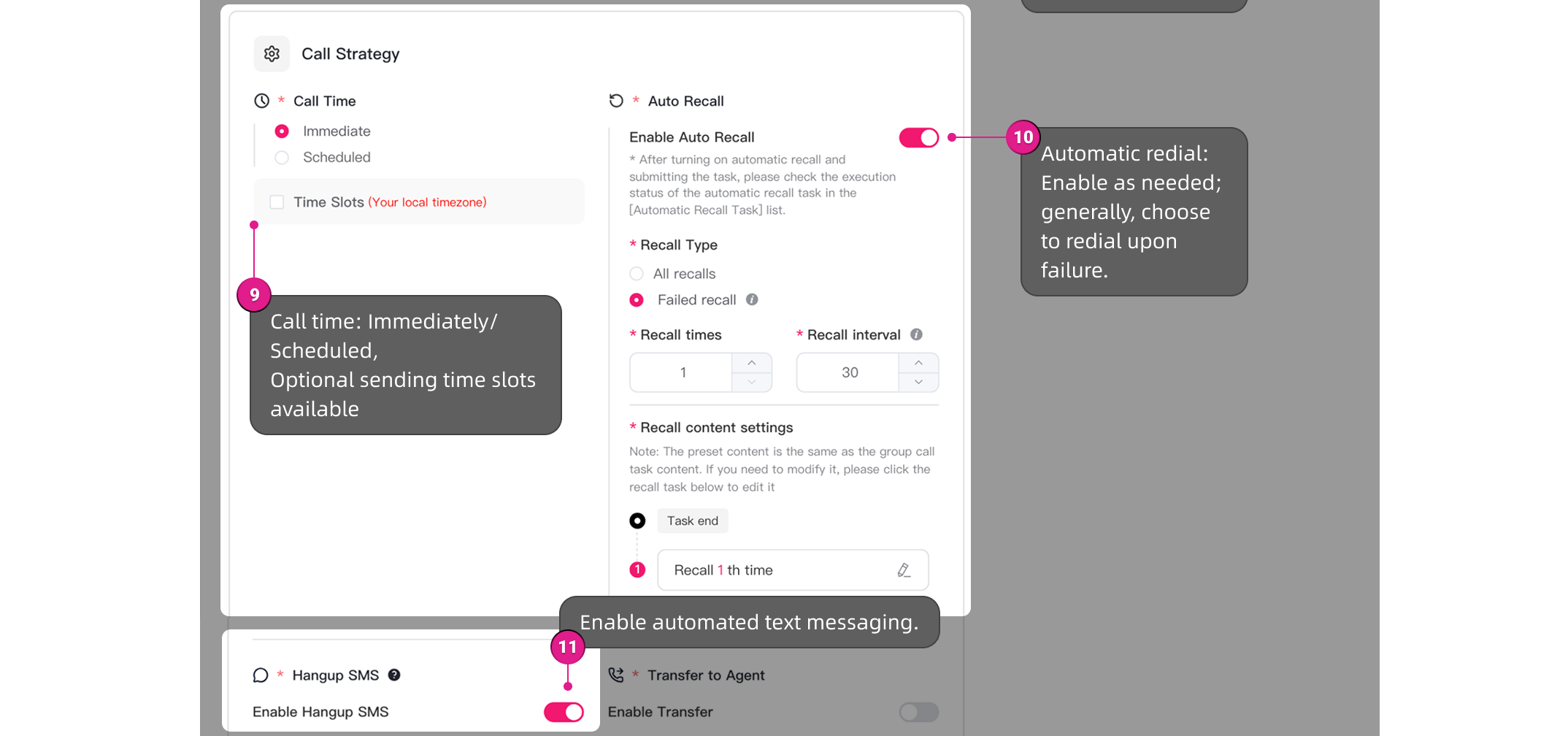
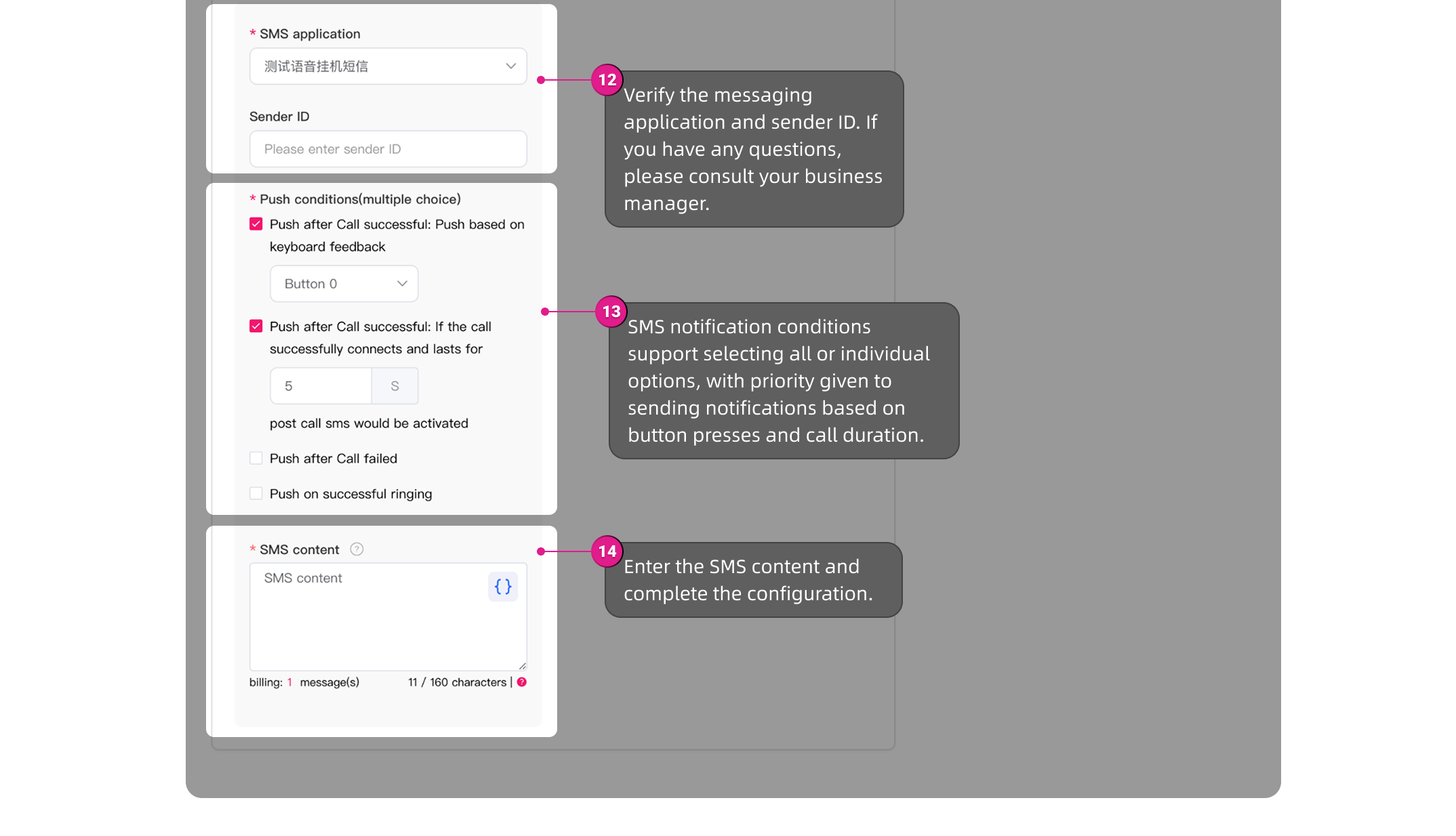
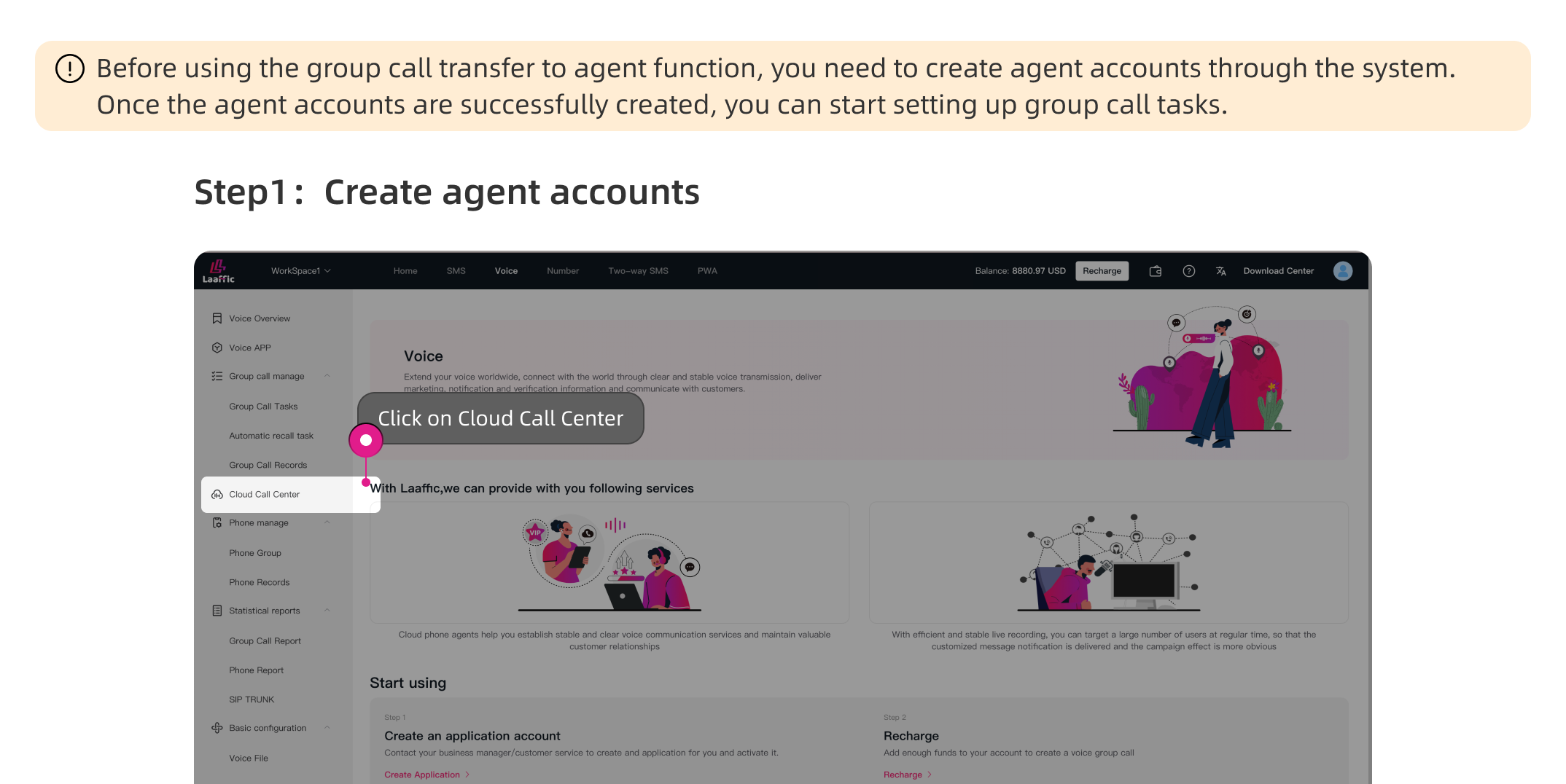
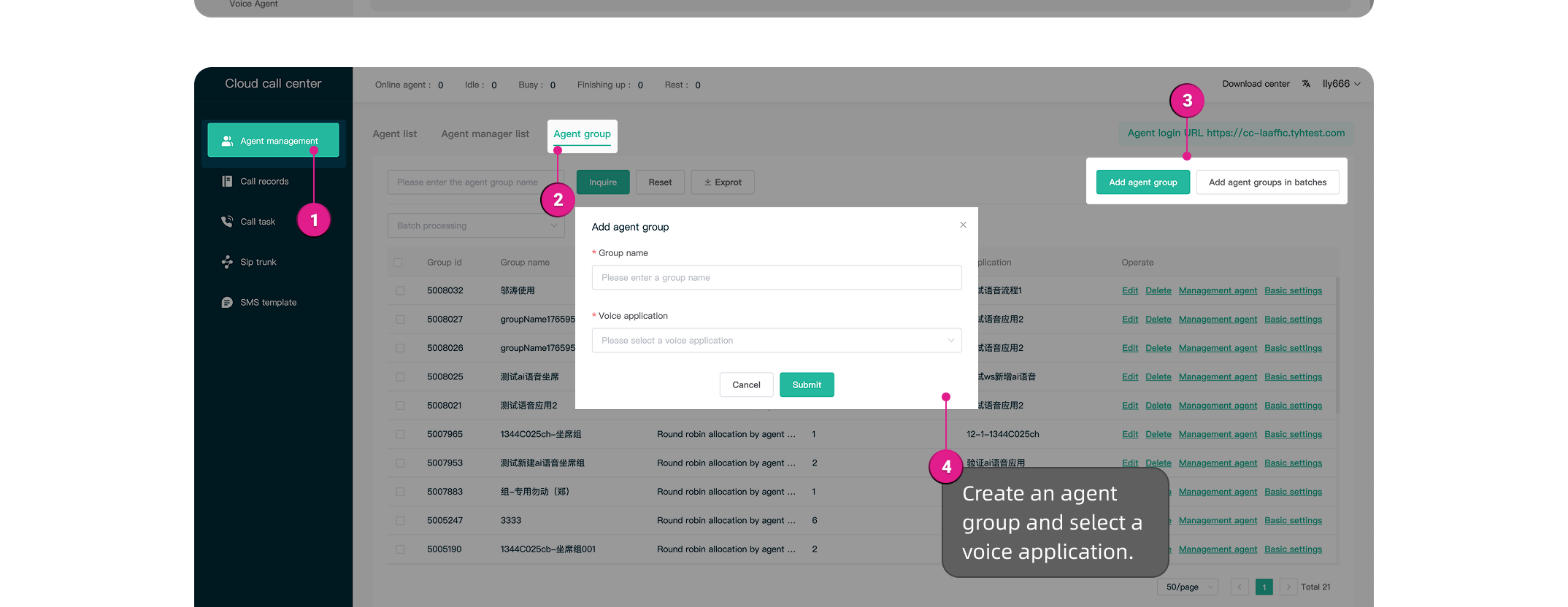
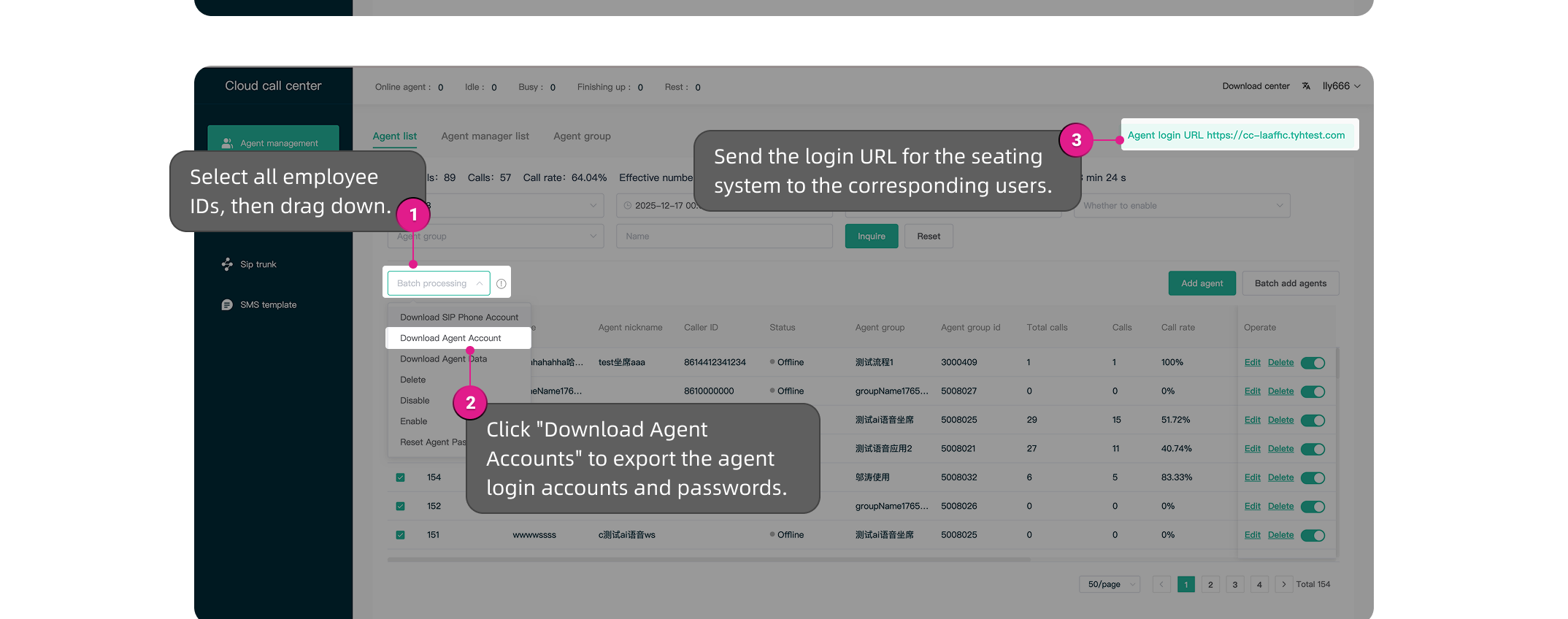
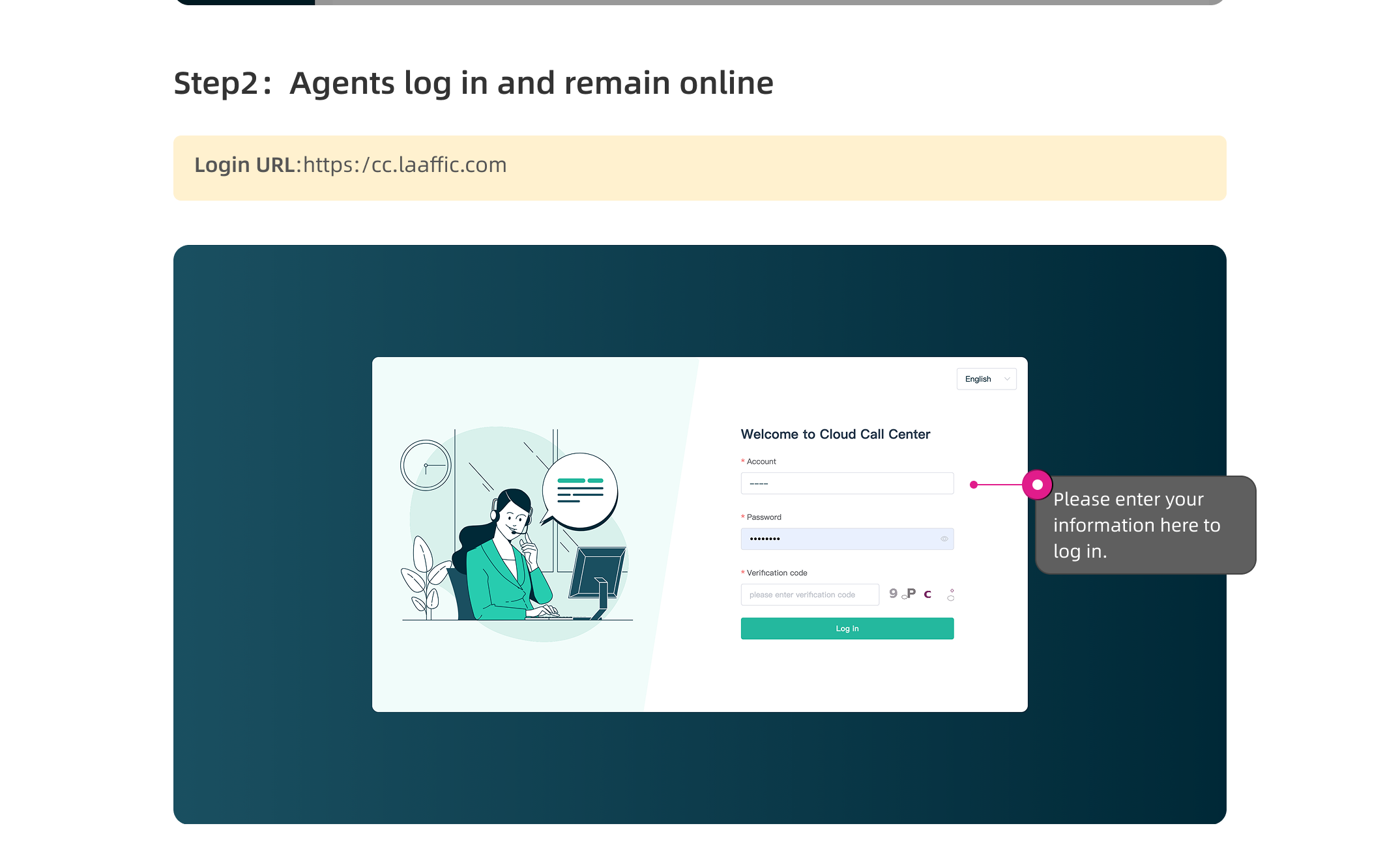
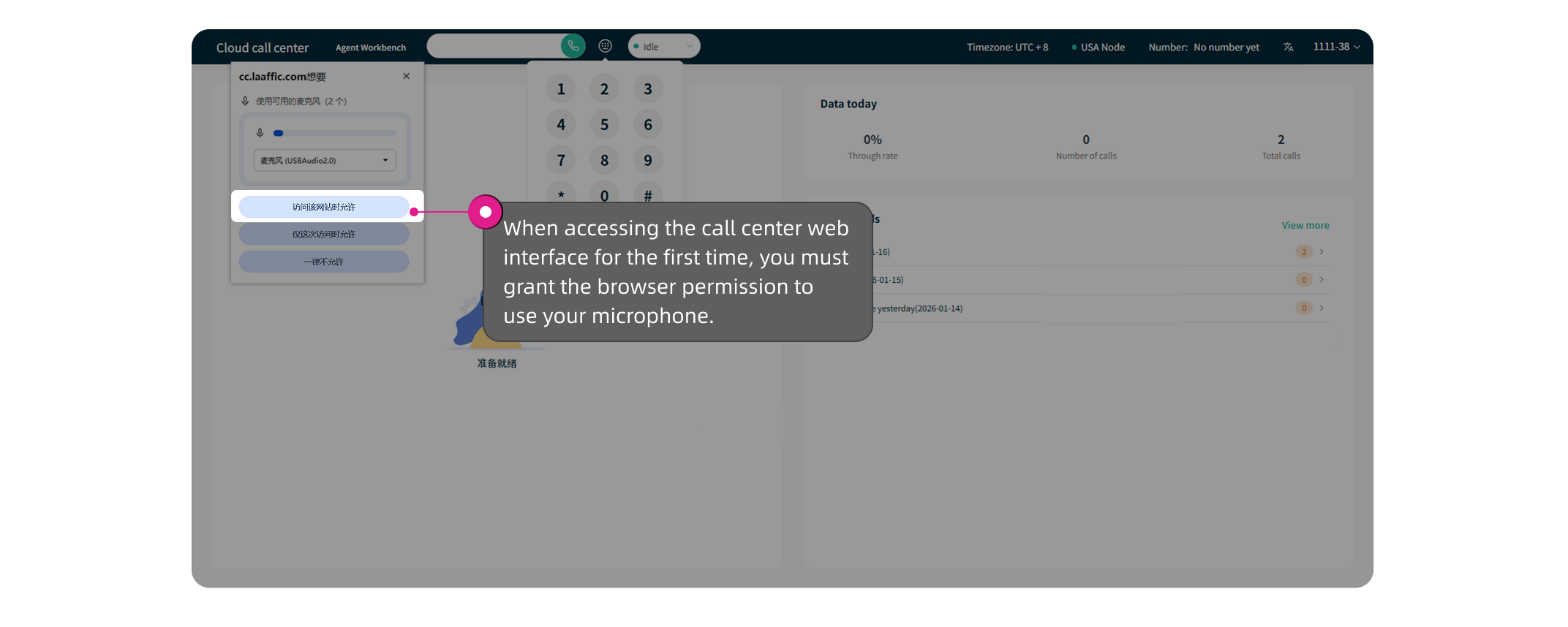
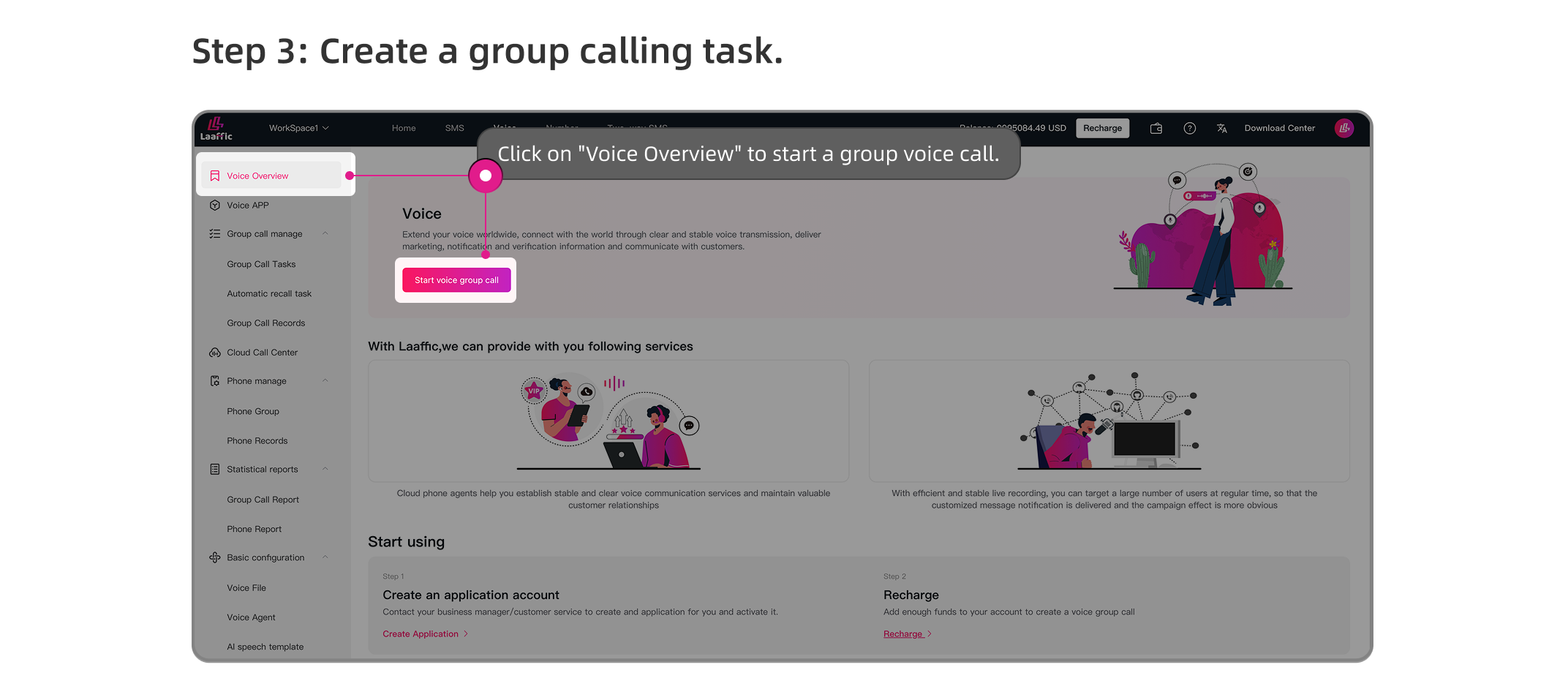
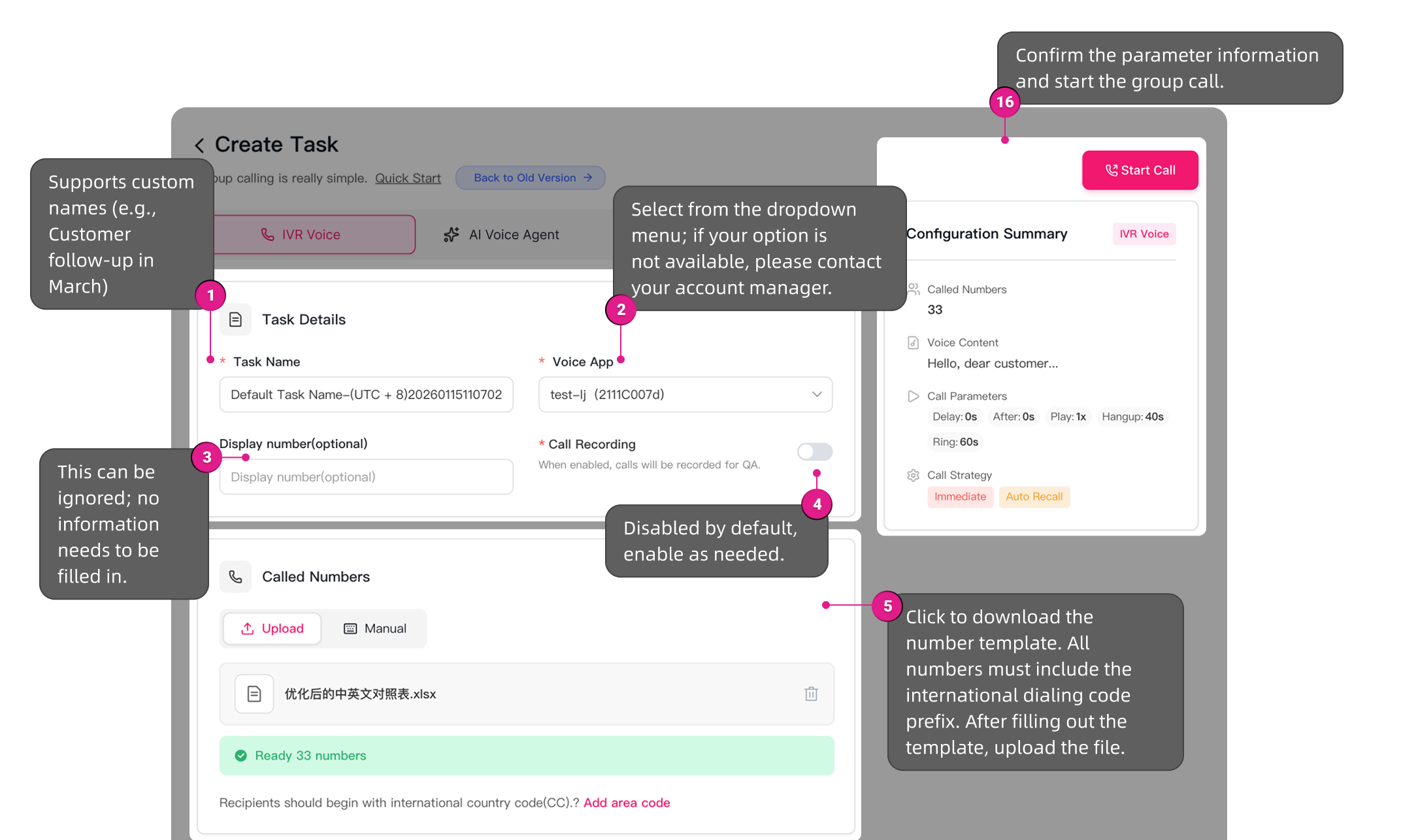
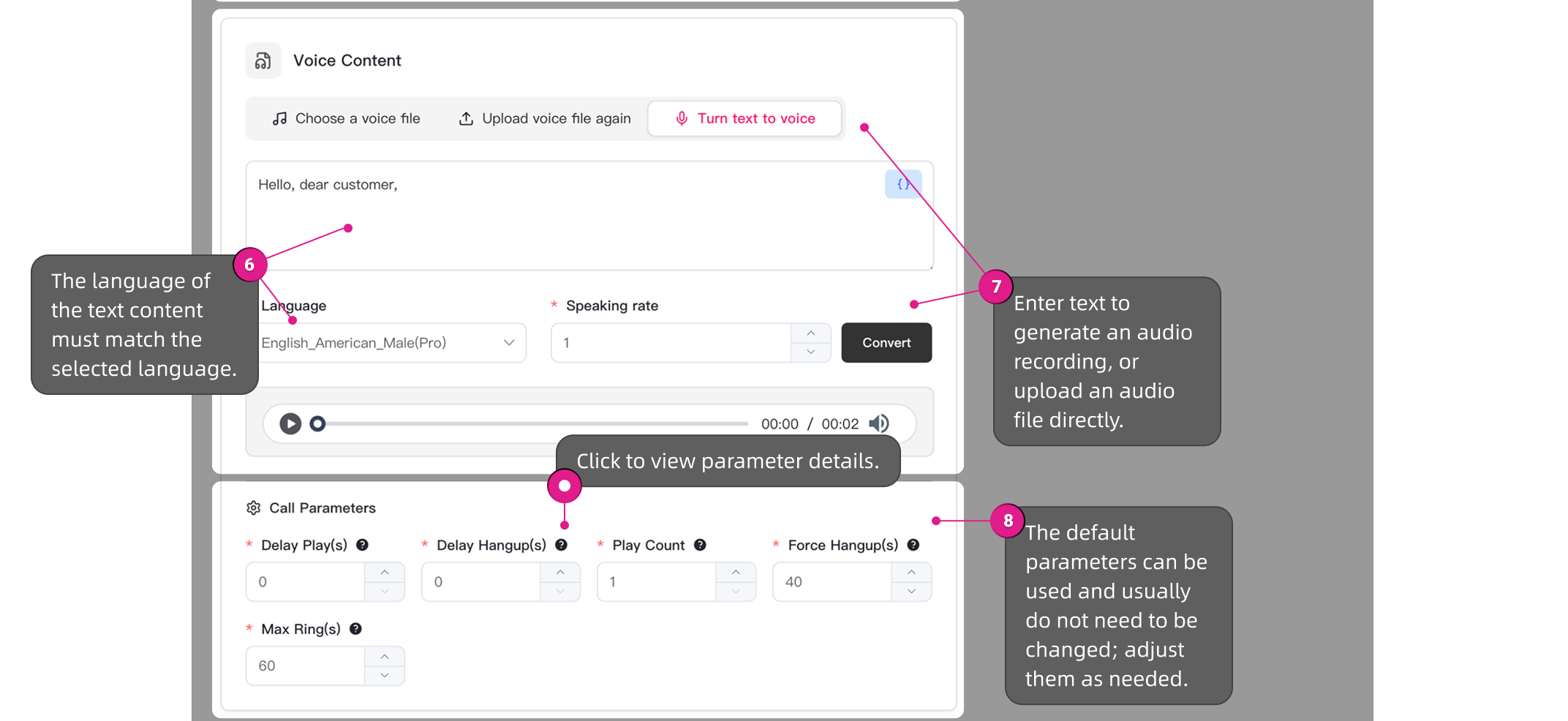
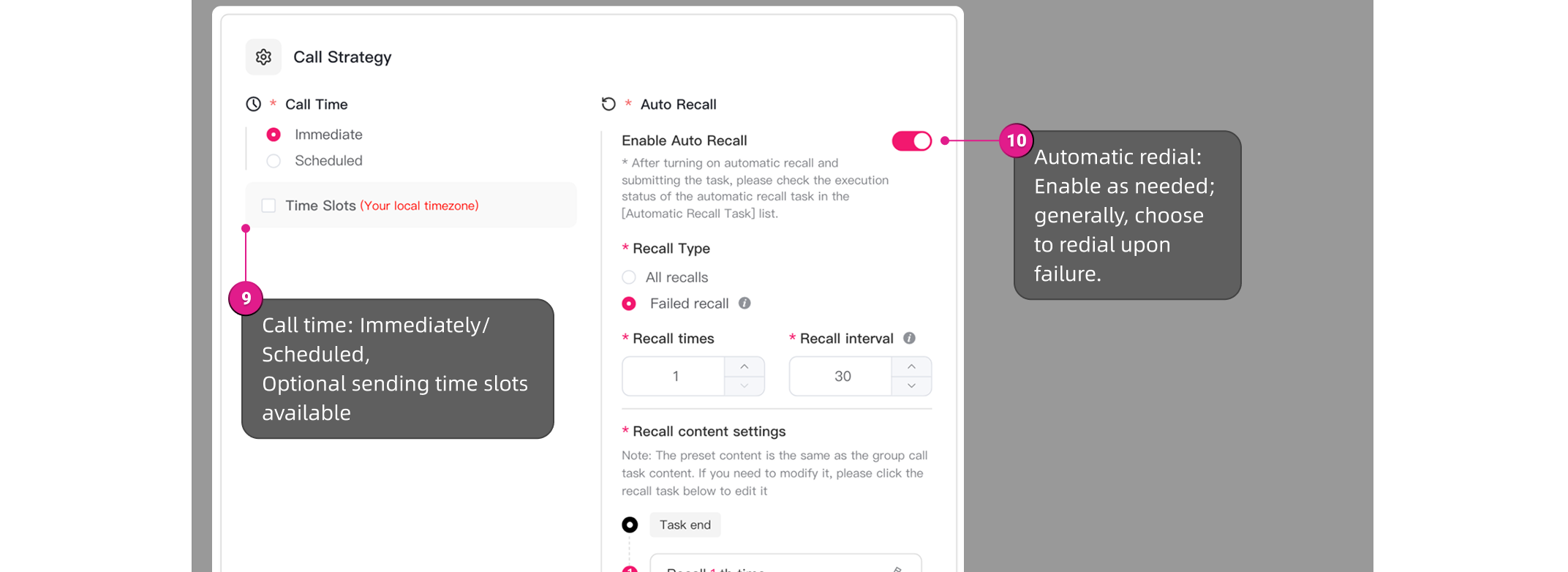
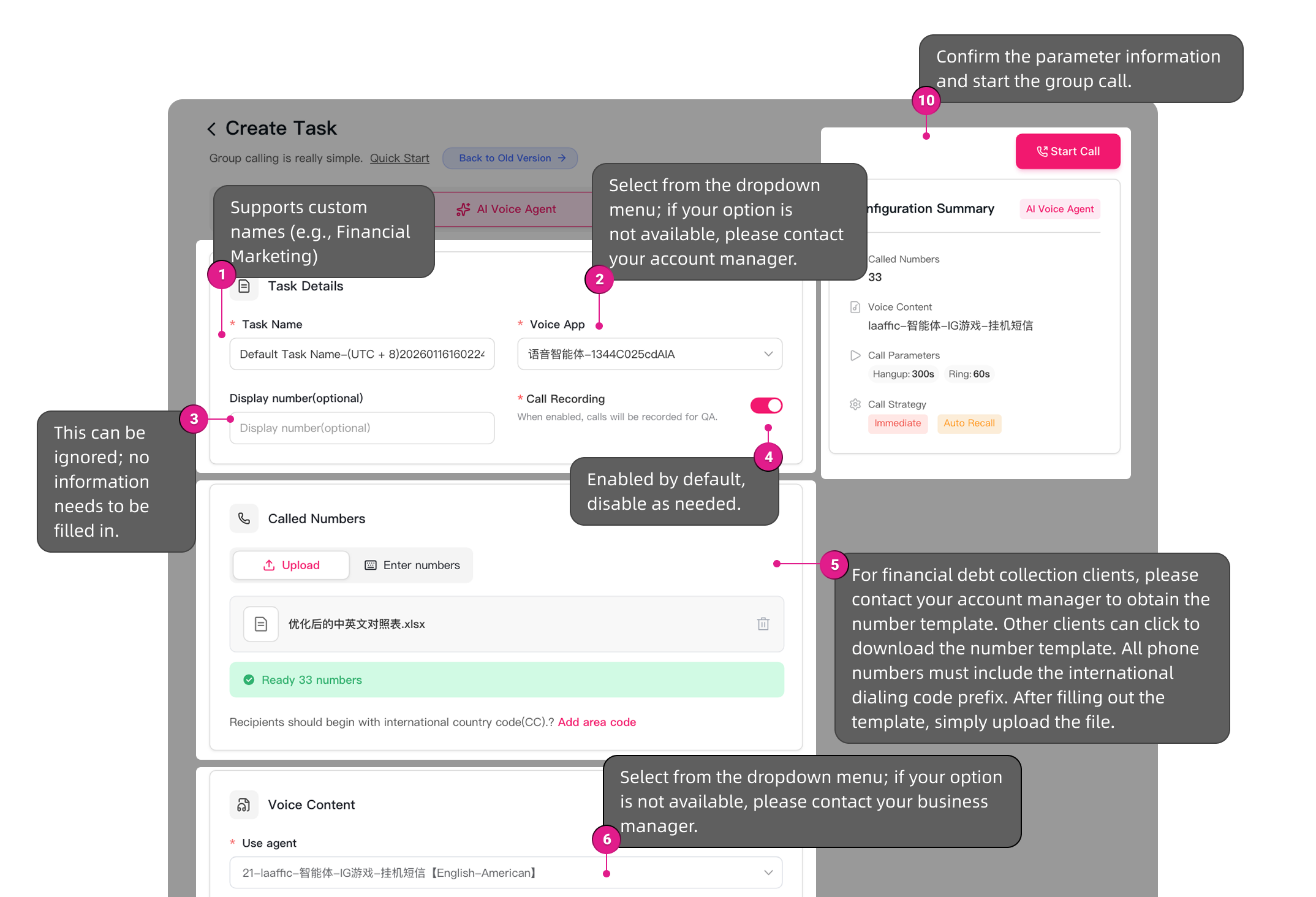

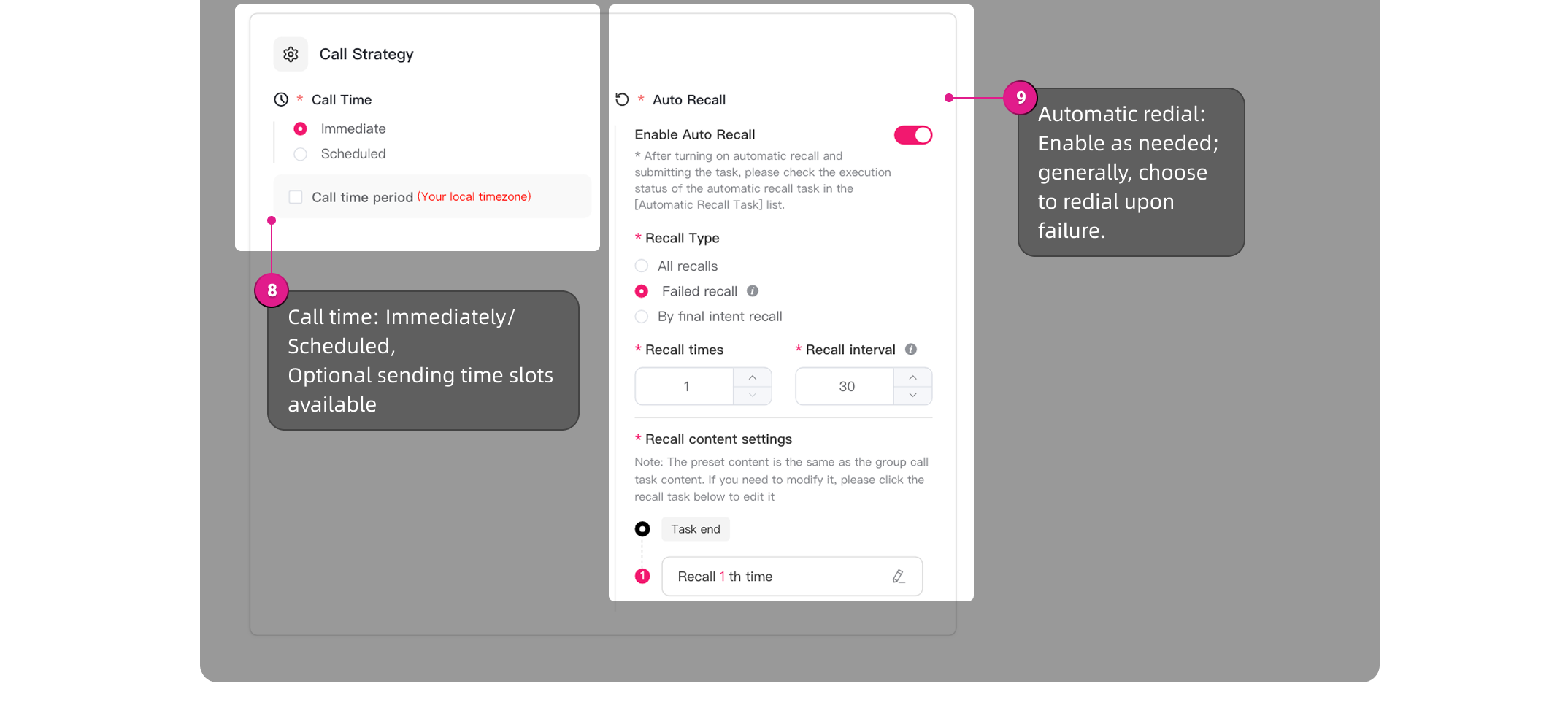
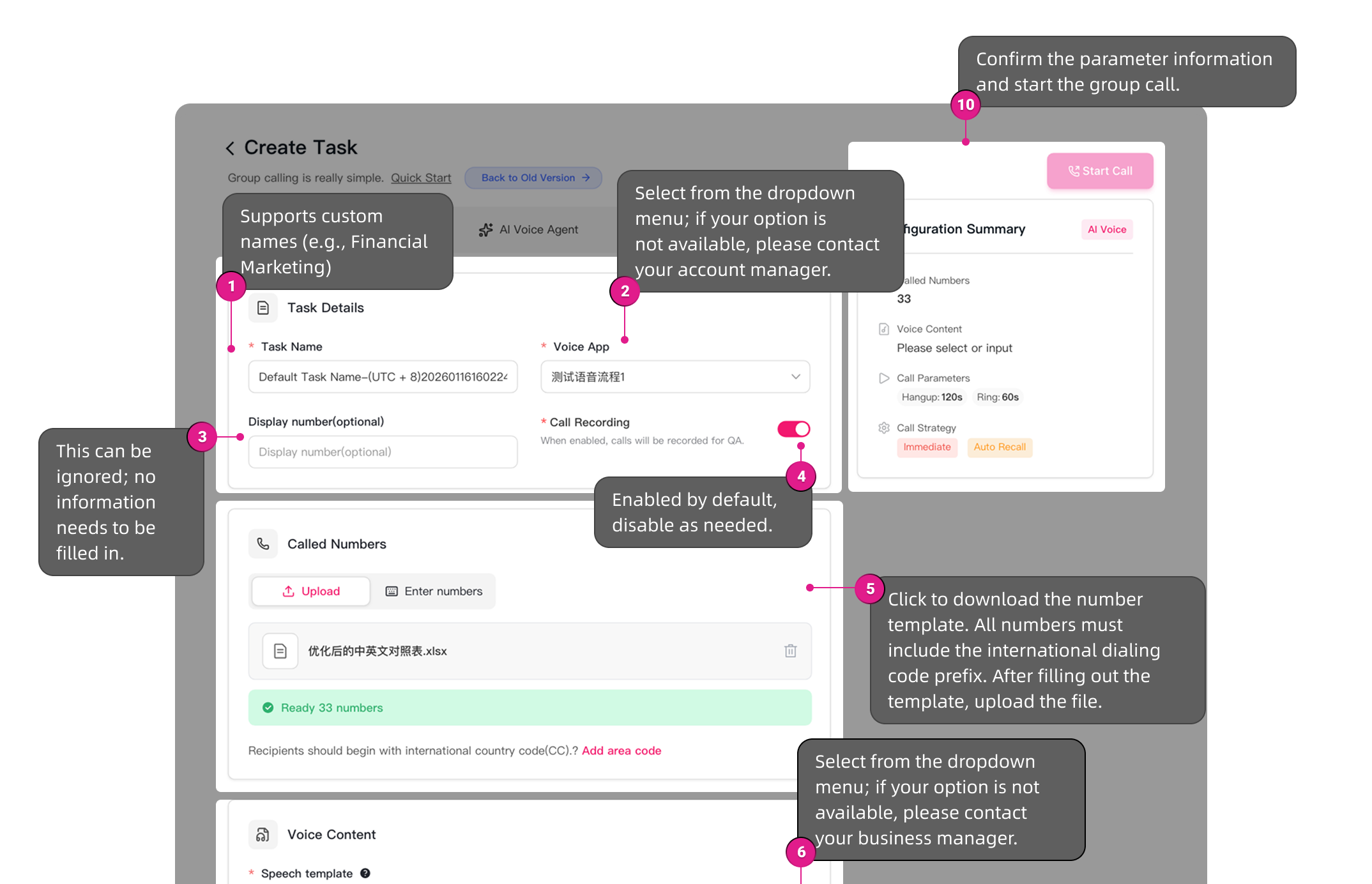

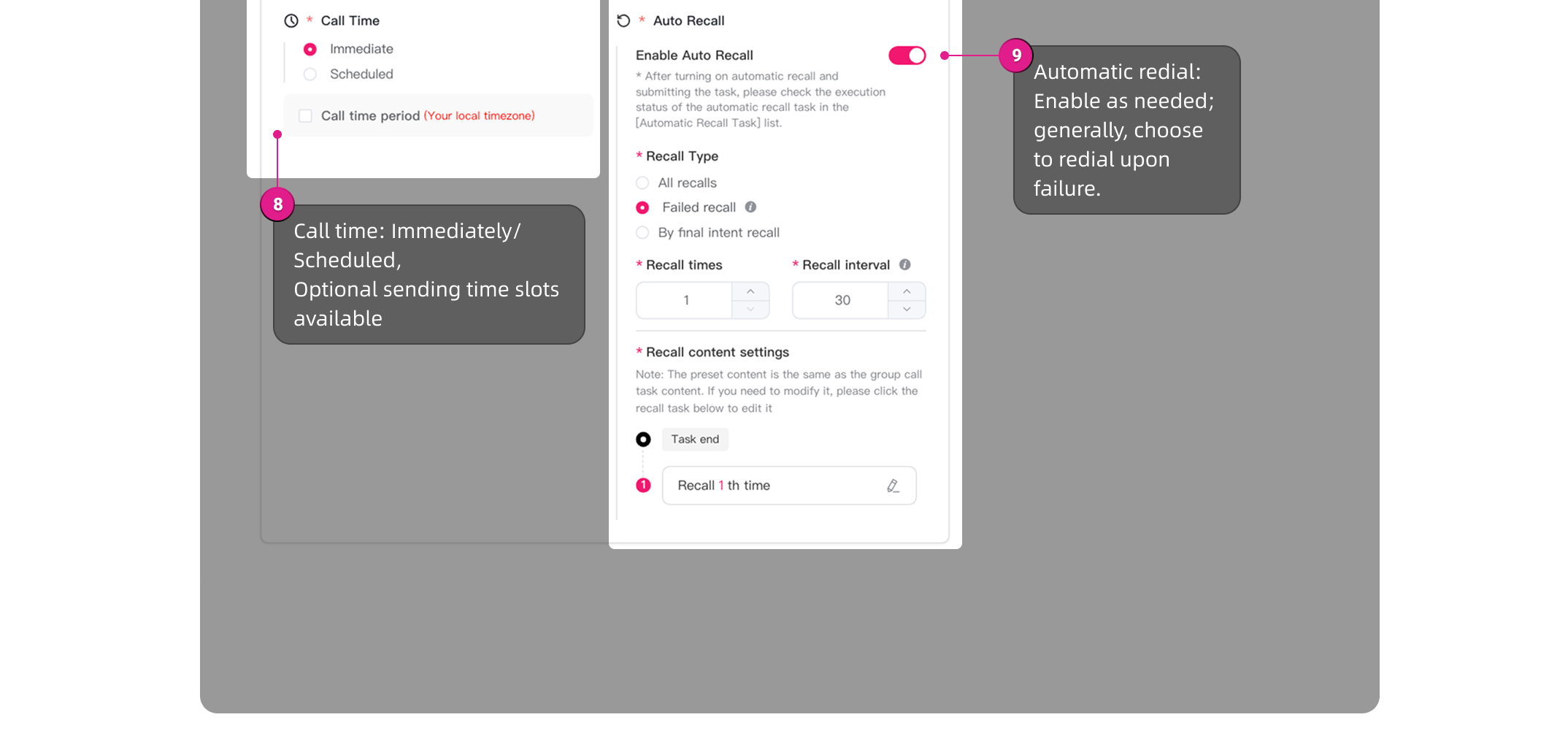
The configuration process steps are as follows:
IVR VoiceIVR
IVR VoiceIVR+SMS
IVR VoiceIVR+Transfer to Agent
AI Voice Agent
AI Voice
Was this page helpful?
Questions about integration? Contact our technical support
LAAFFIC API dedicated TG technical support channel, real-time response to your needs