How to Make an Outbound Call from the Agent Console
Cloud Call Center
Outbound Call Methods for Different Operation Modes and Scenarios
| Outbound Call Method | Description | How It Works |
|---|---|---|
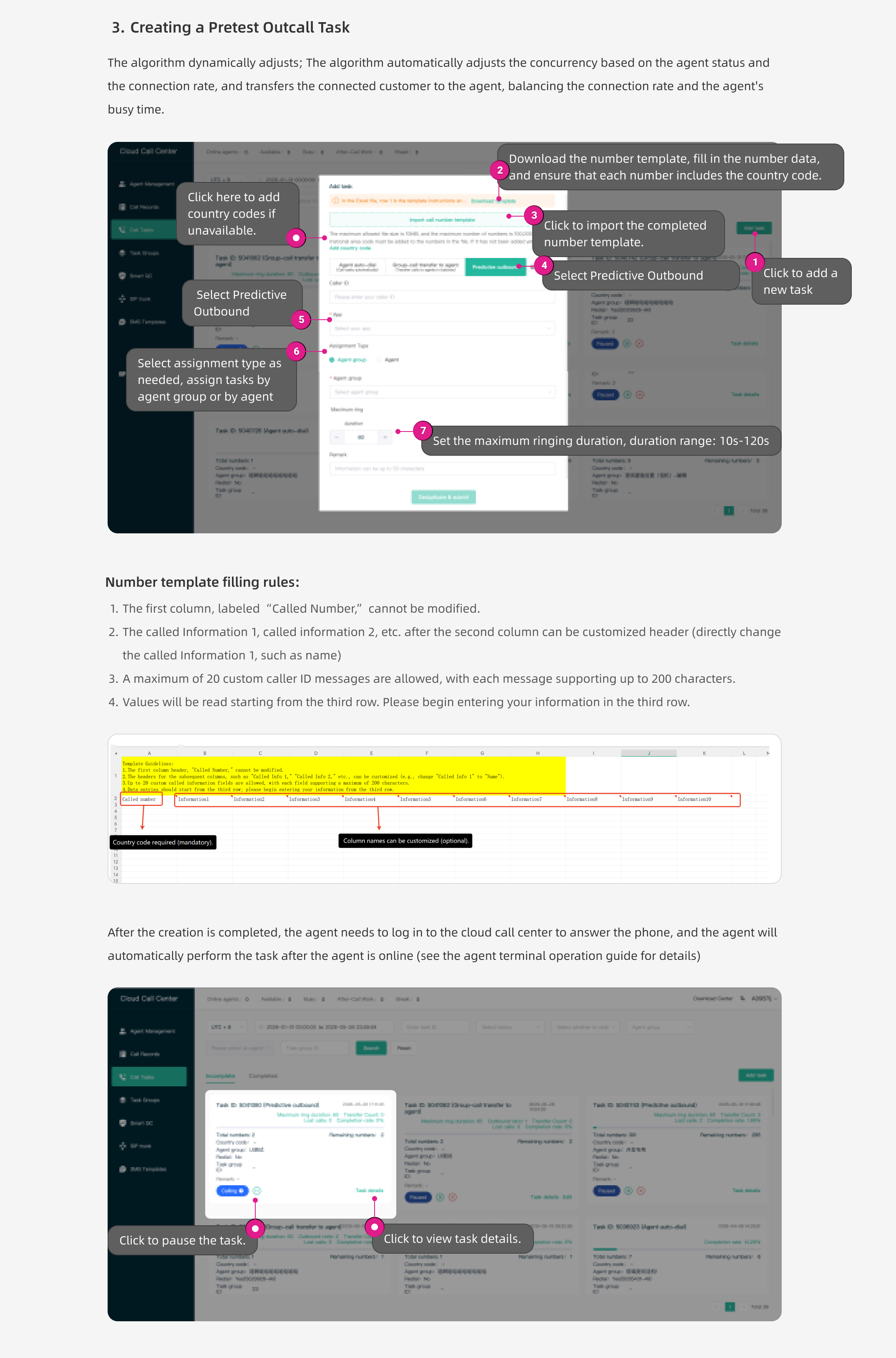
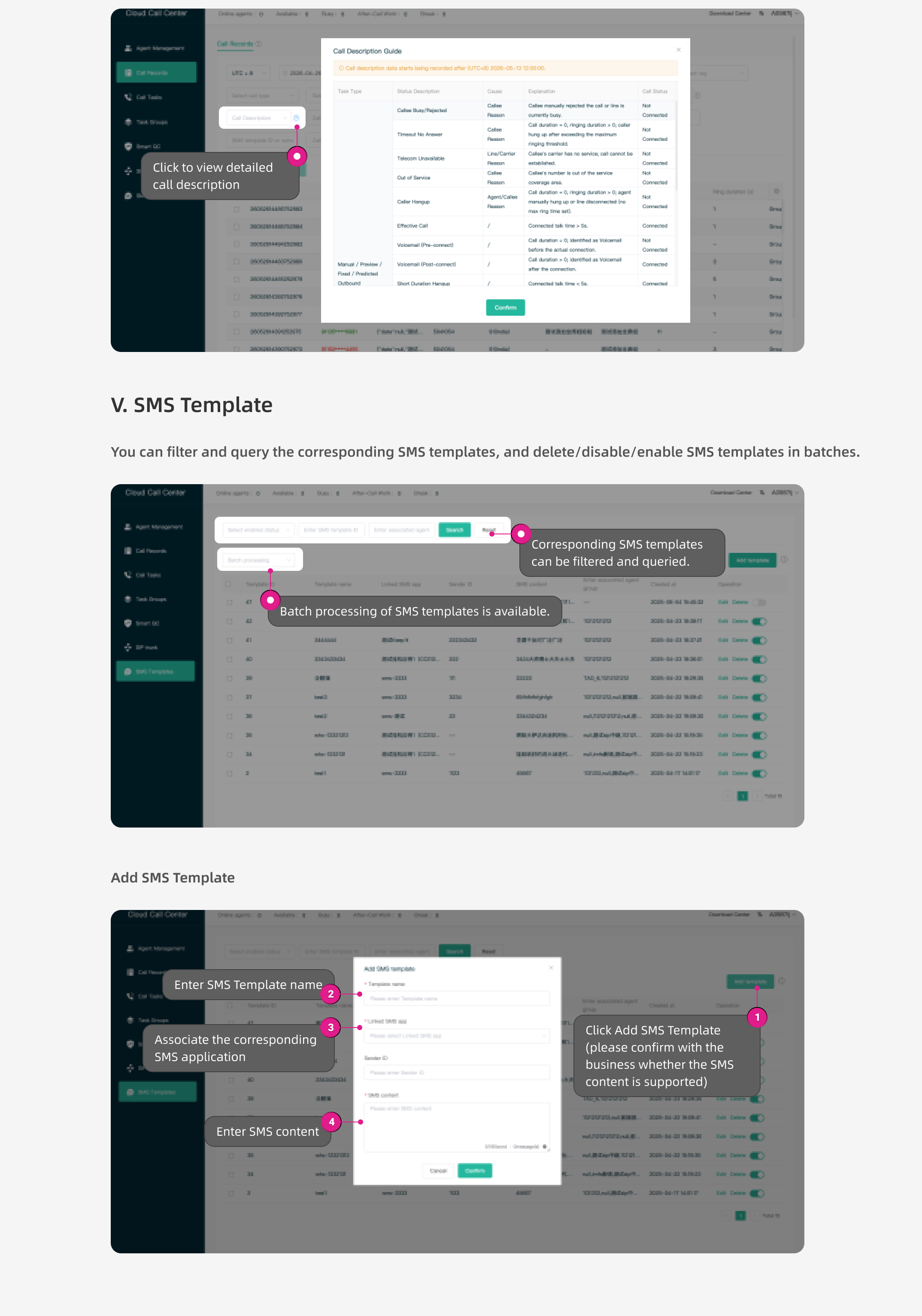
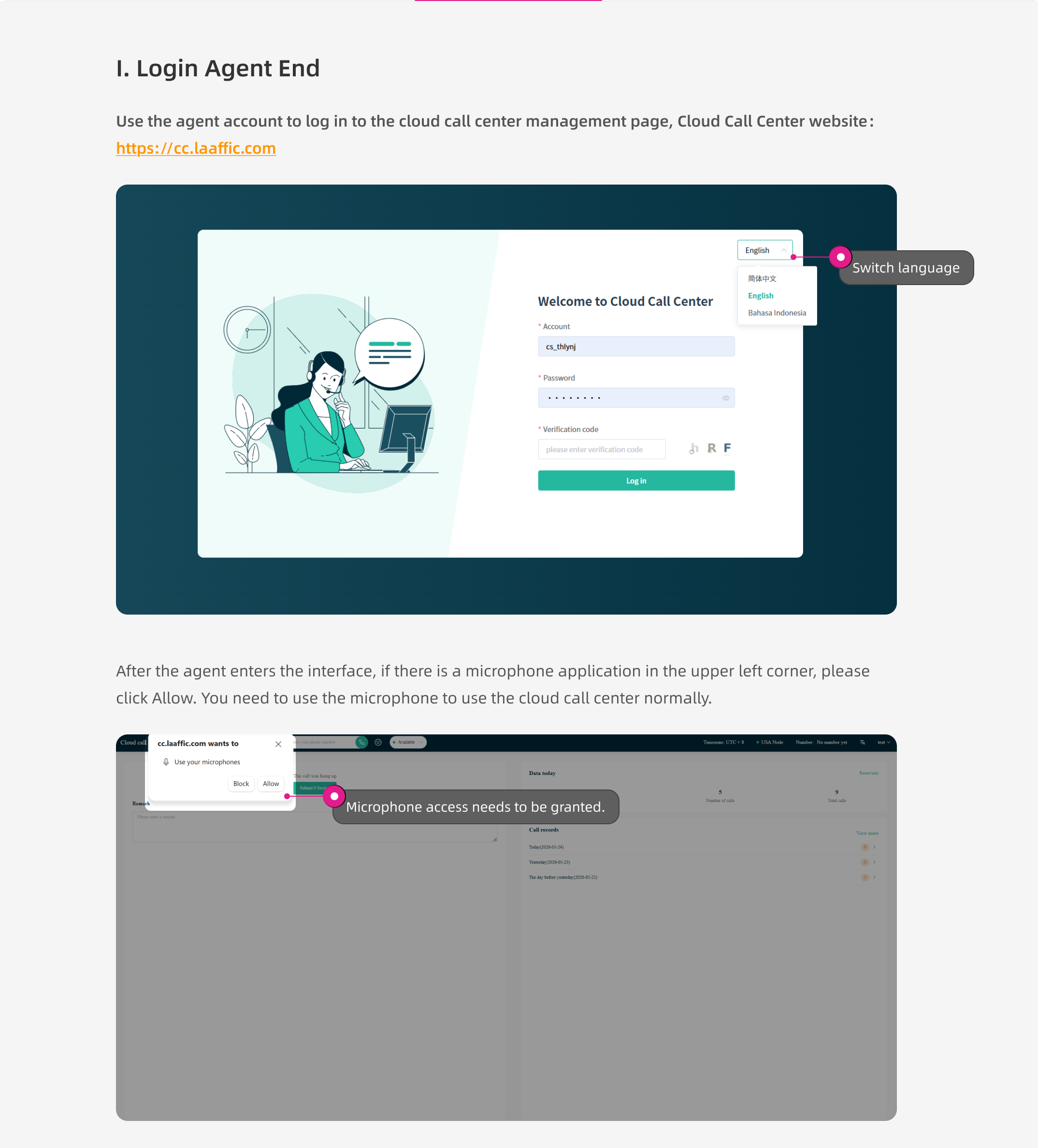
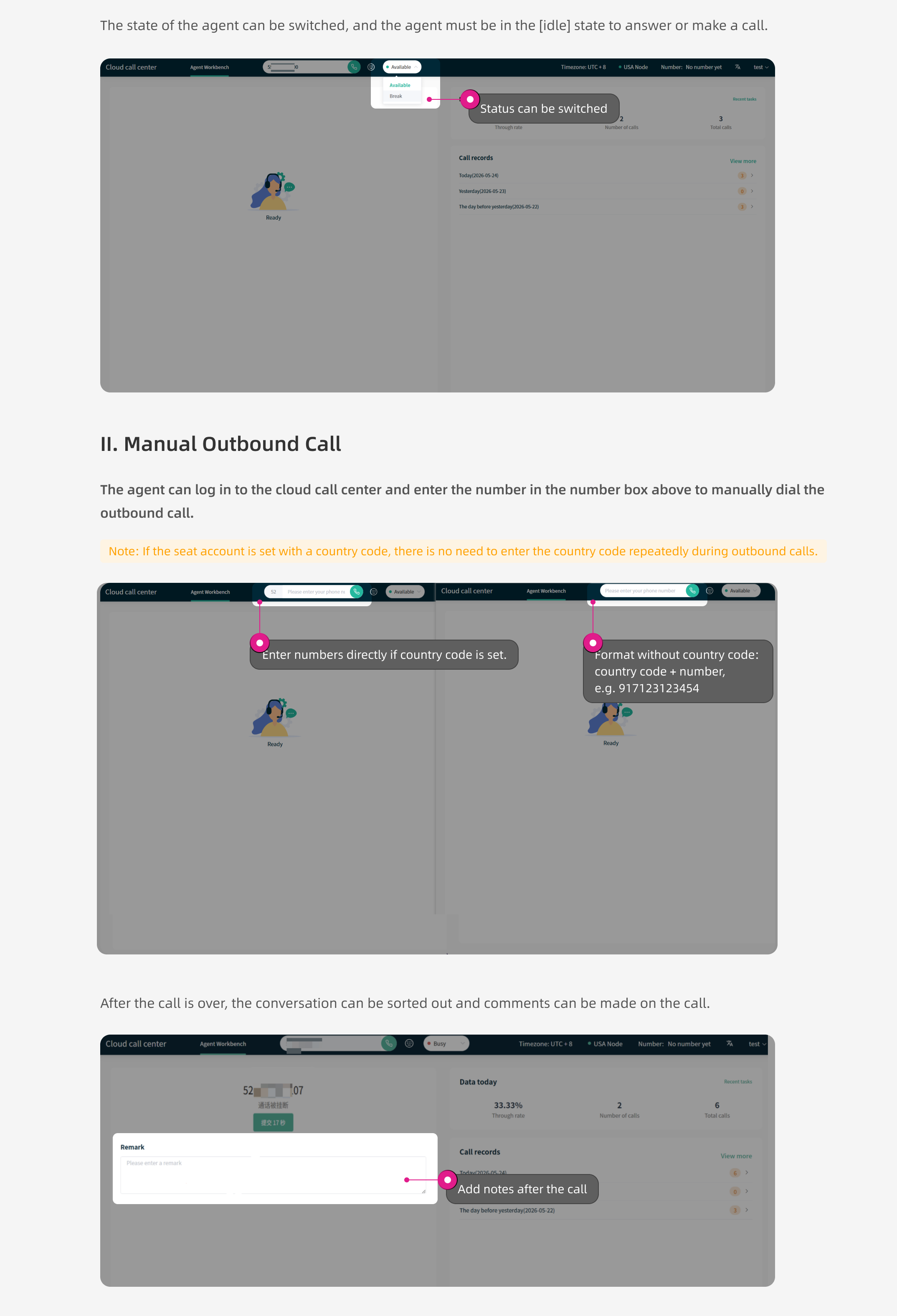
| Manual Dialing | Keypad dialing | The agent manually enters a number in the agent console and clicks Call, waits for the call to connect, and completes after-call work when the call ends. |
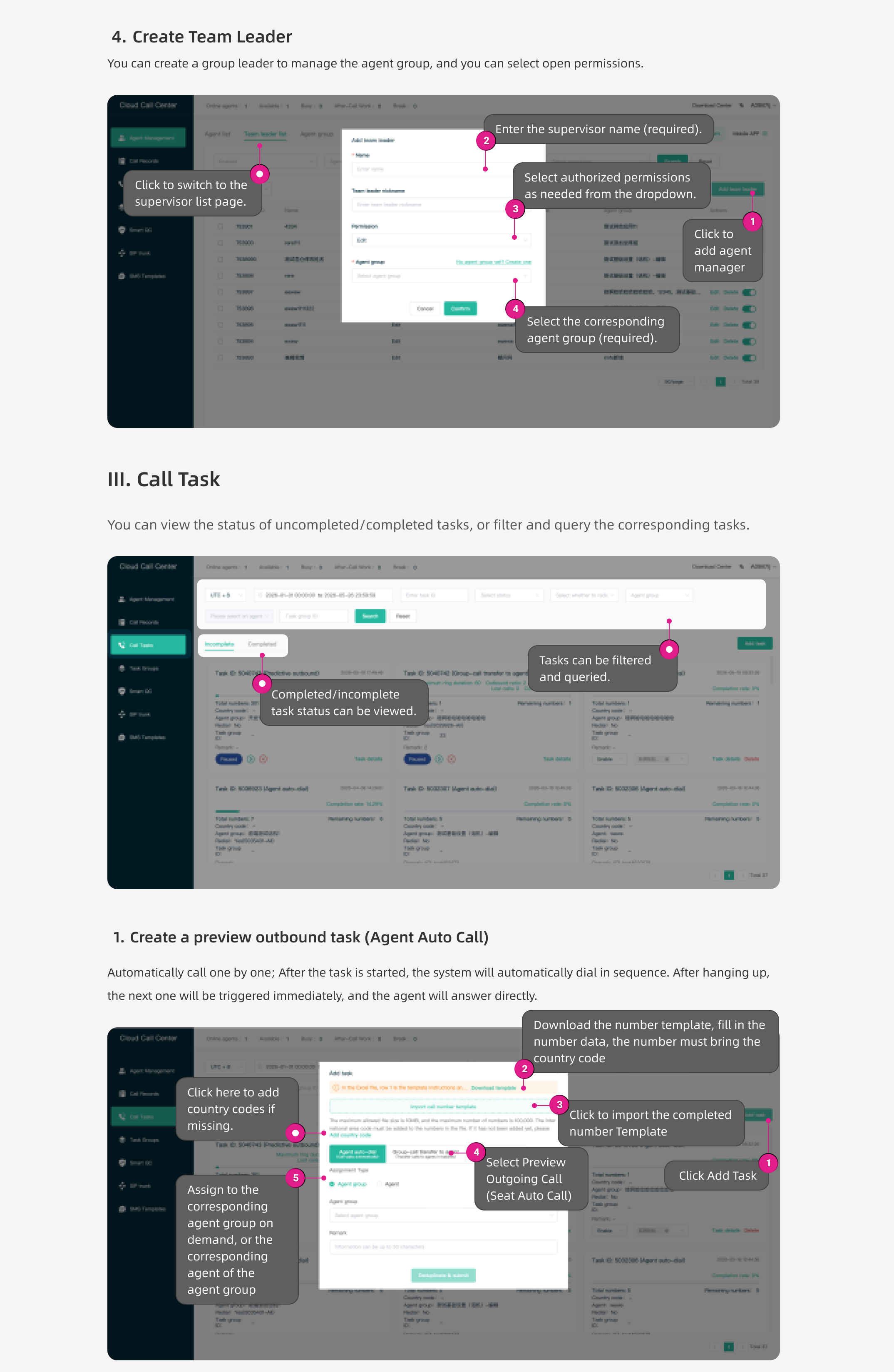
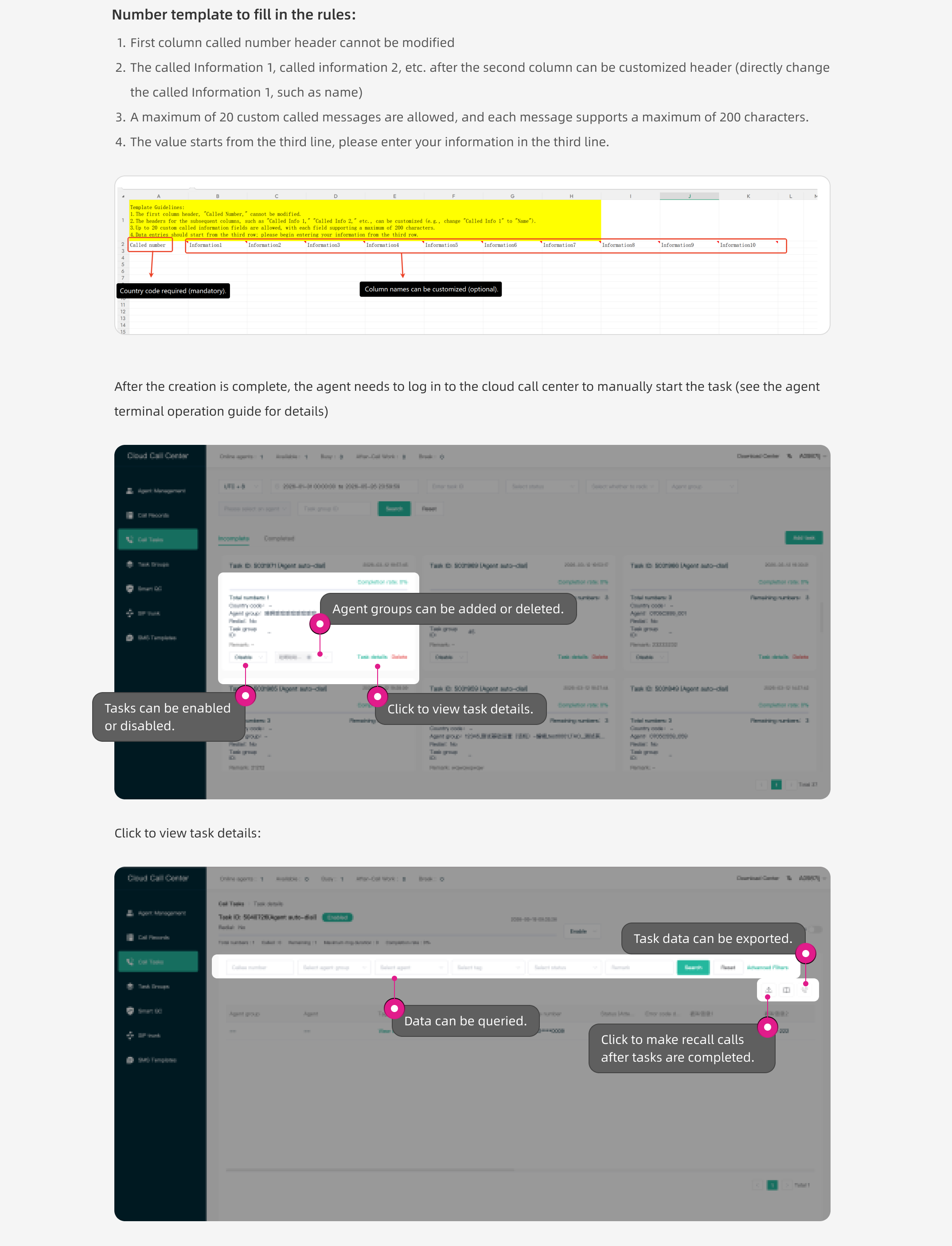
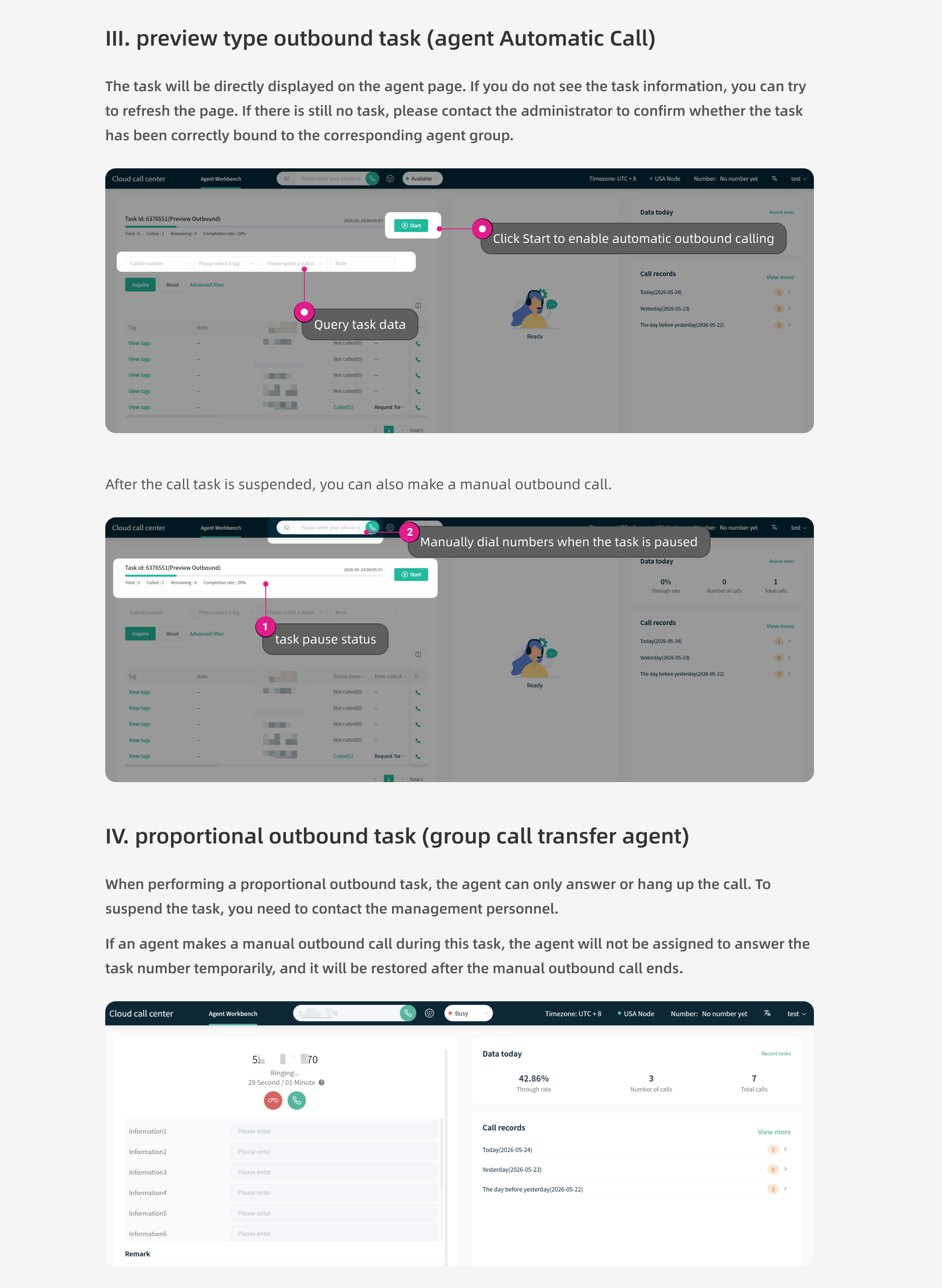
| Preview Dialing | One-at-a-time preview dialing | The system assigns tasks from a contact list and automatically dials them one at a time, making it suitable for high-value customer conversations. |
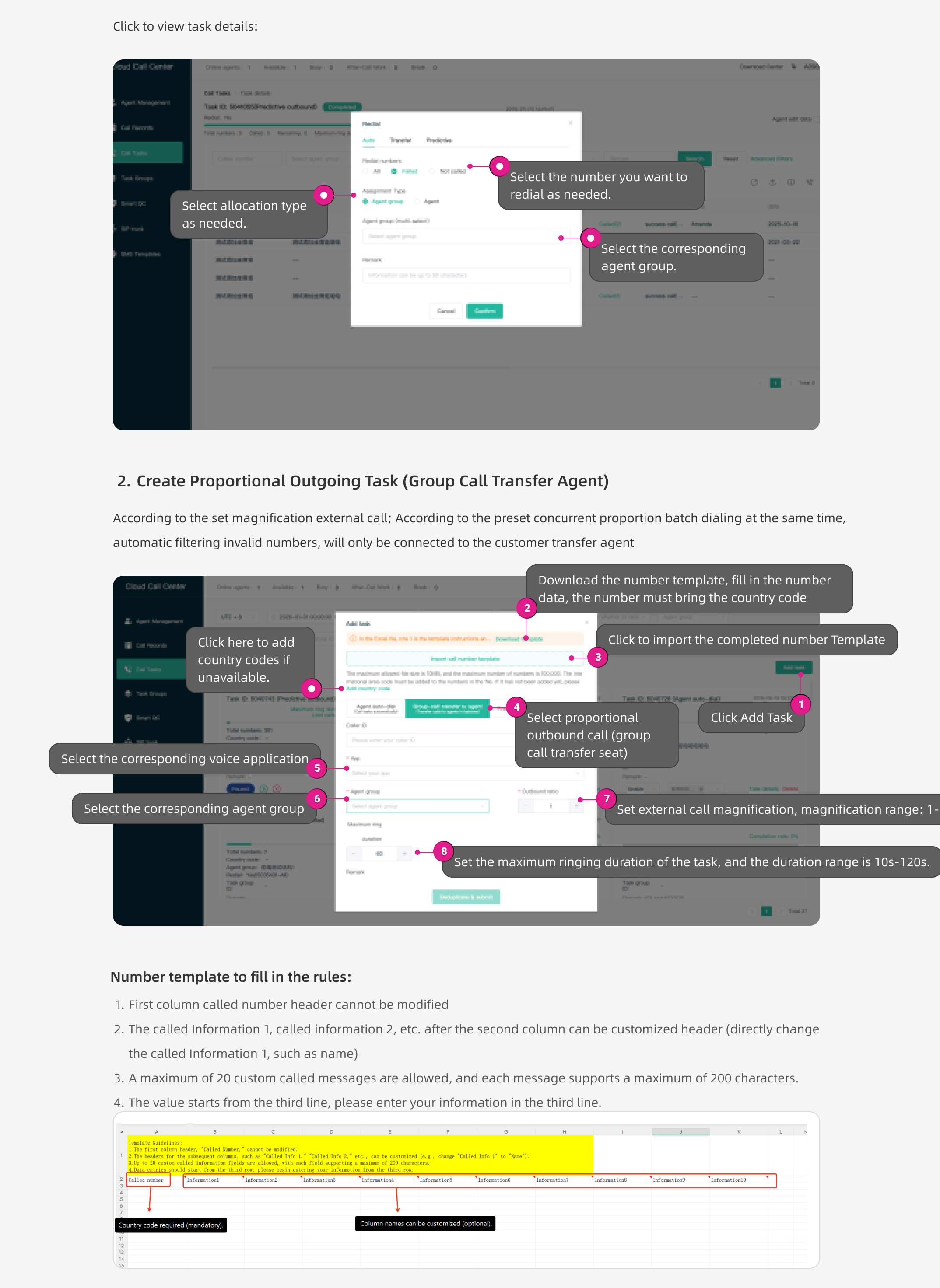
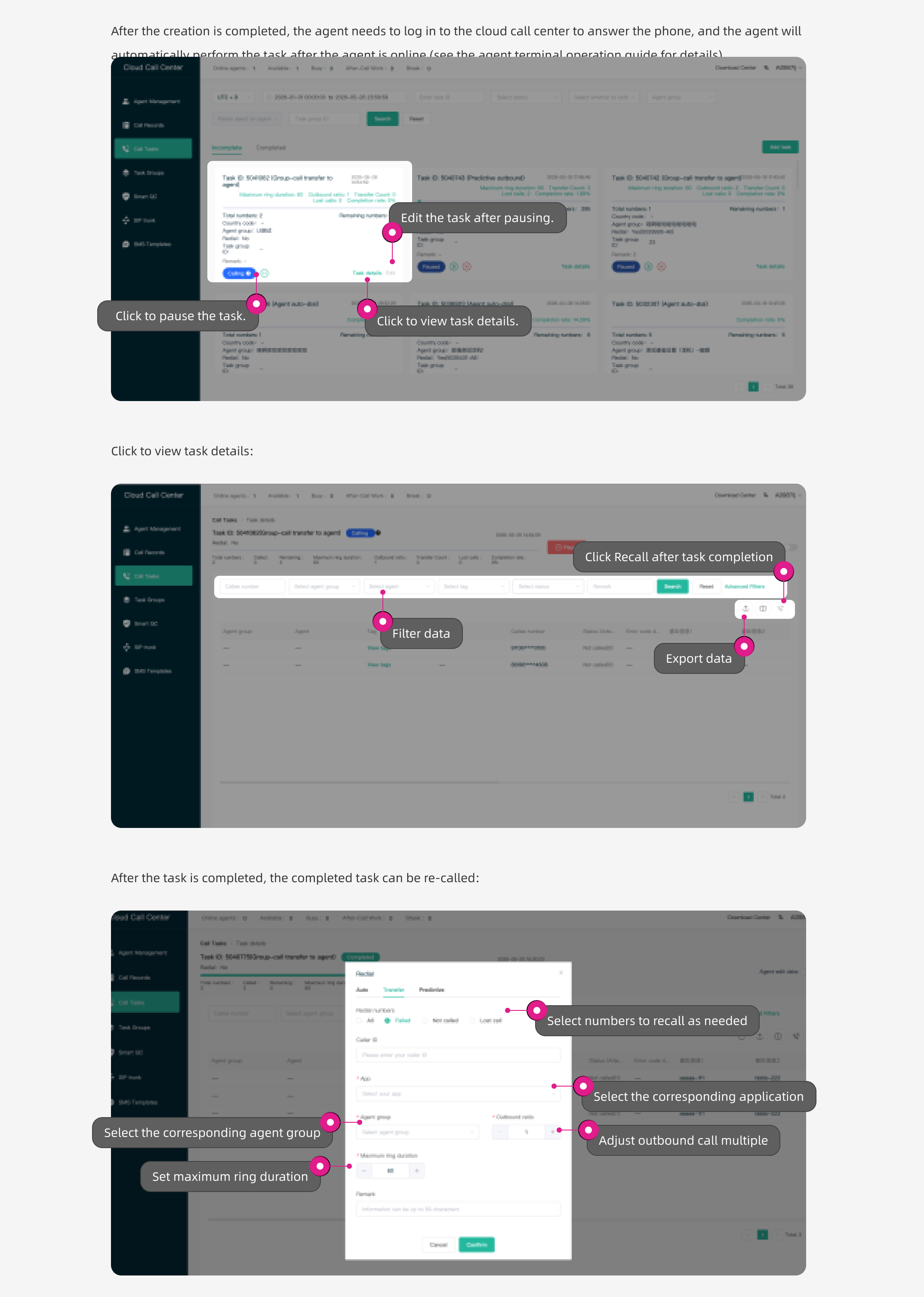
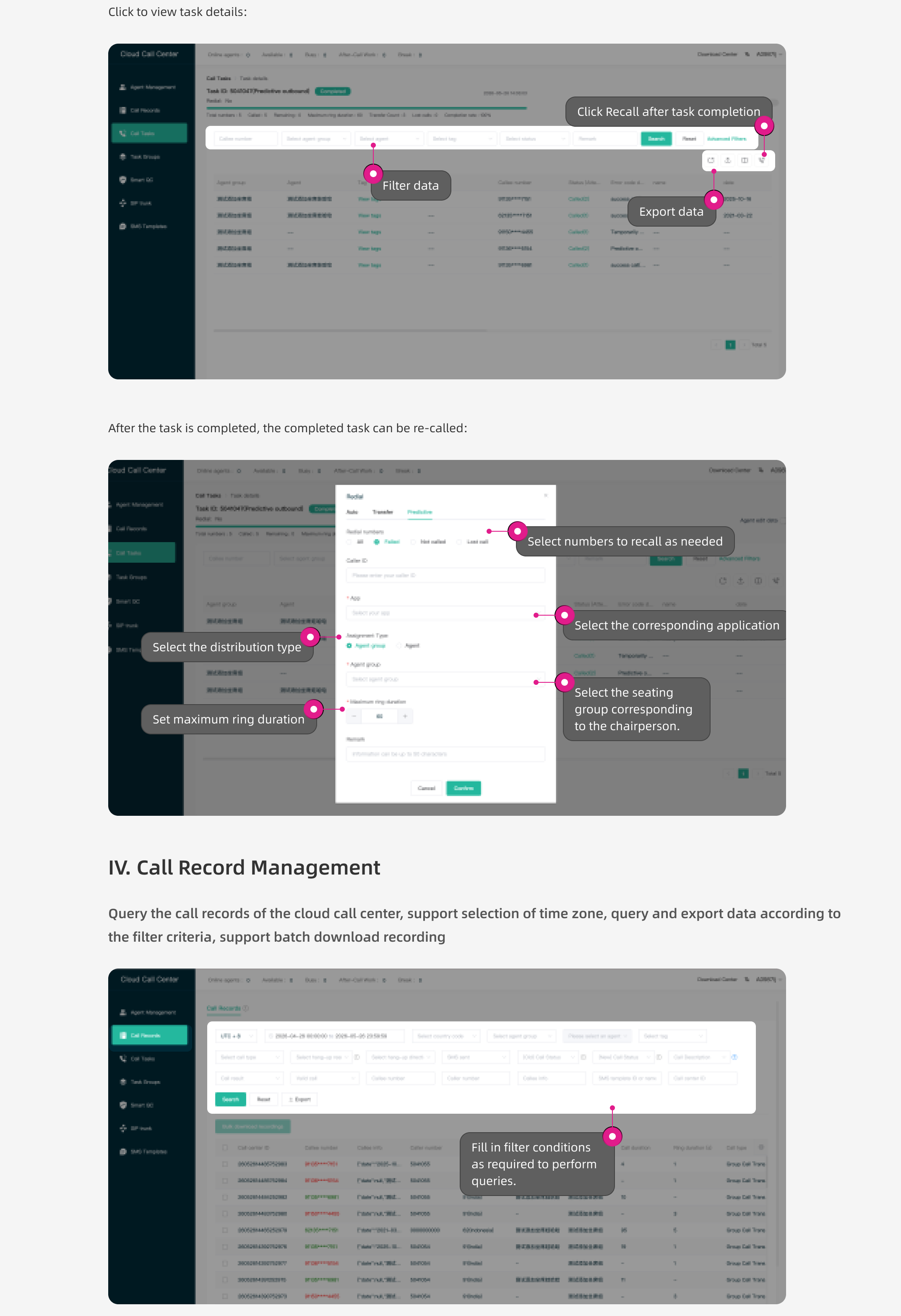
| Ratio Dialing | Fixed-ratio batch dialing | Calls are placed automatically in batches according to the agent-to-call ratio configured in the admin console (such as 1:2 or 1:3), then connected calls are routed to available agents. |
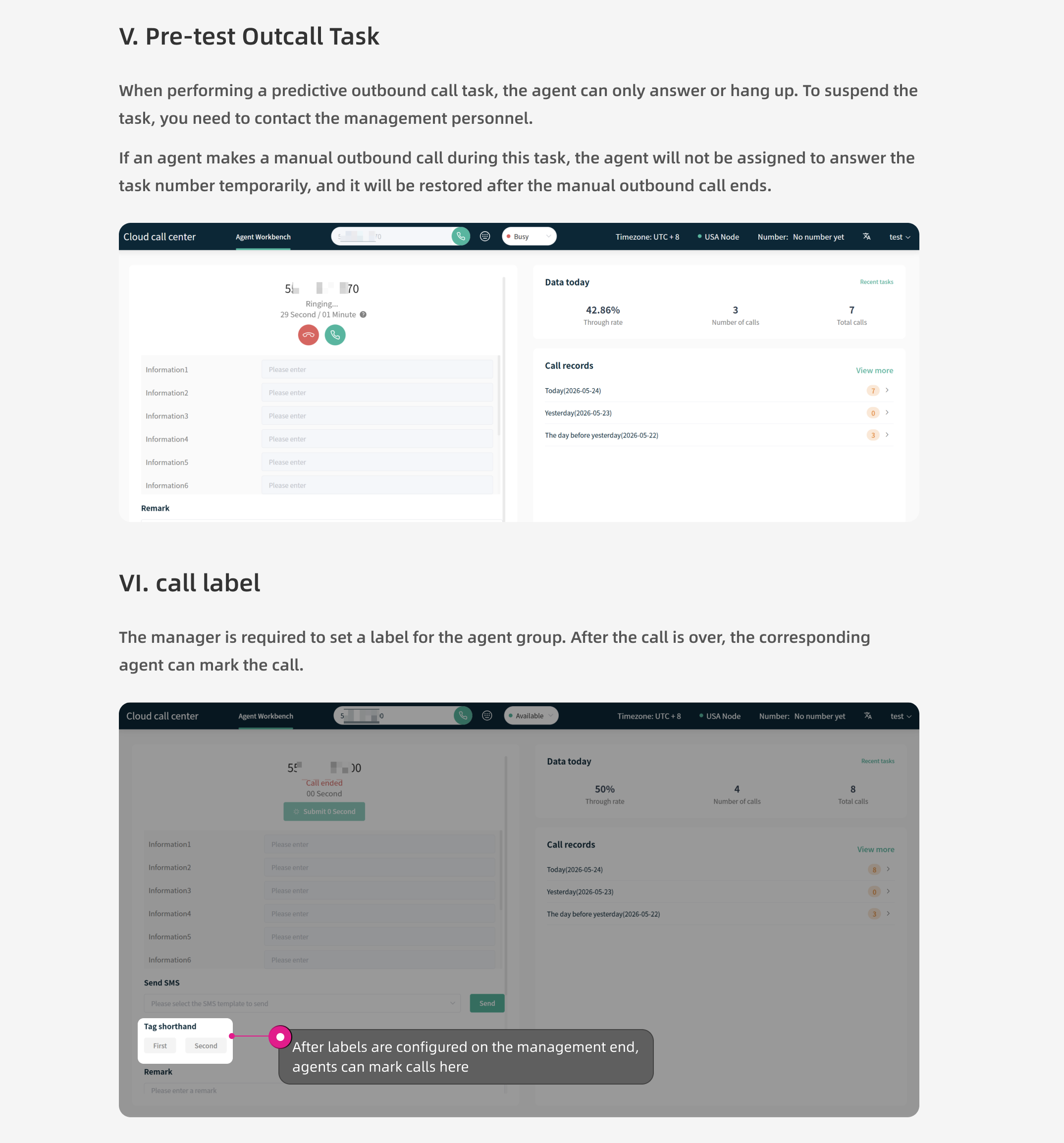
| Predictive Dialing | Algorithm-driven batch dialing | An algorithm predicts agent availability in real time and places calls in batches in advance. Busy signals and invalid numbers are filtered automatically, and only connected calls are routed to agents, enabling agent utilization of up to 90%+. |
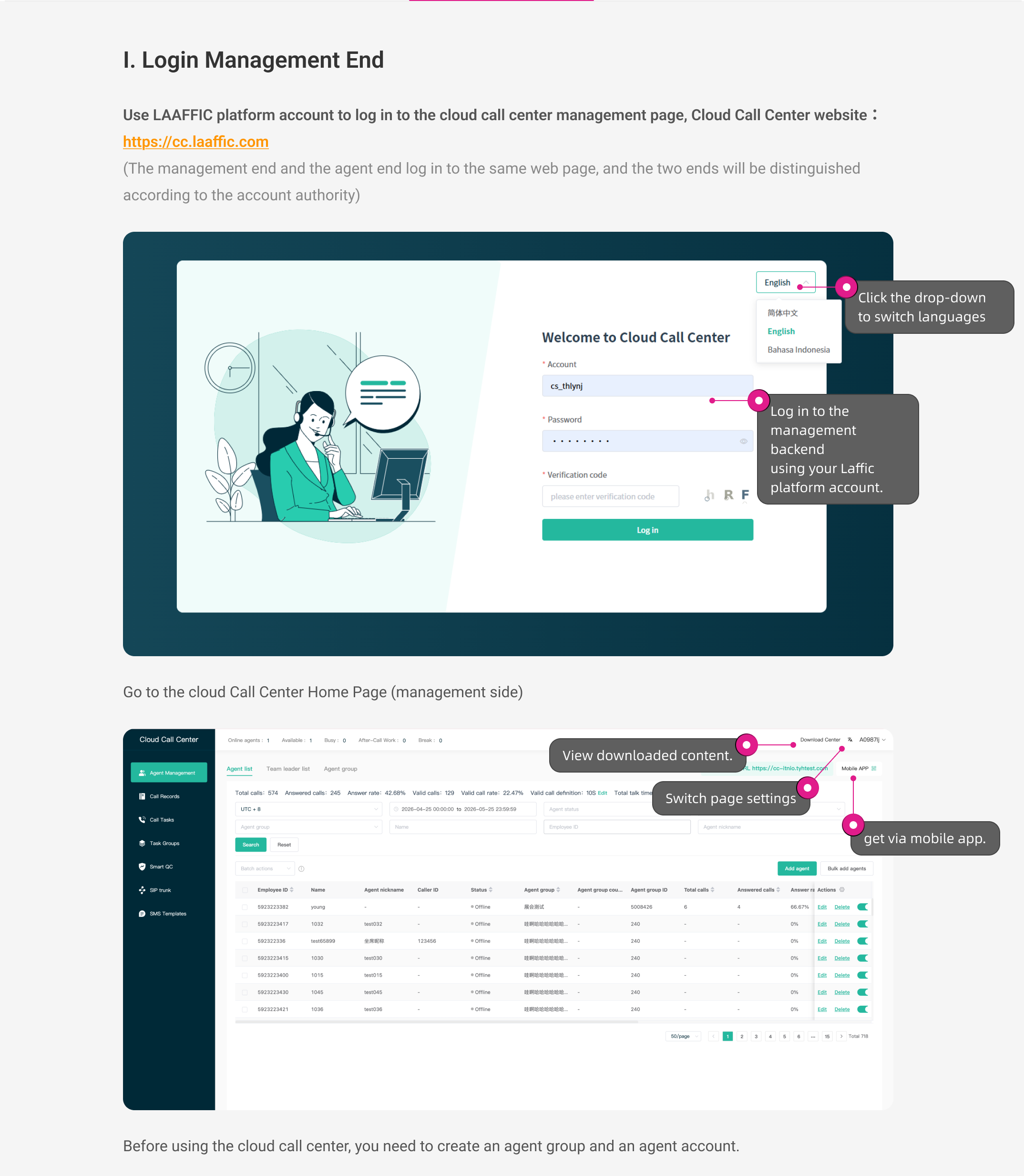
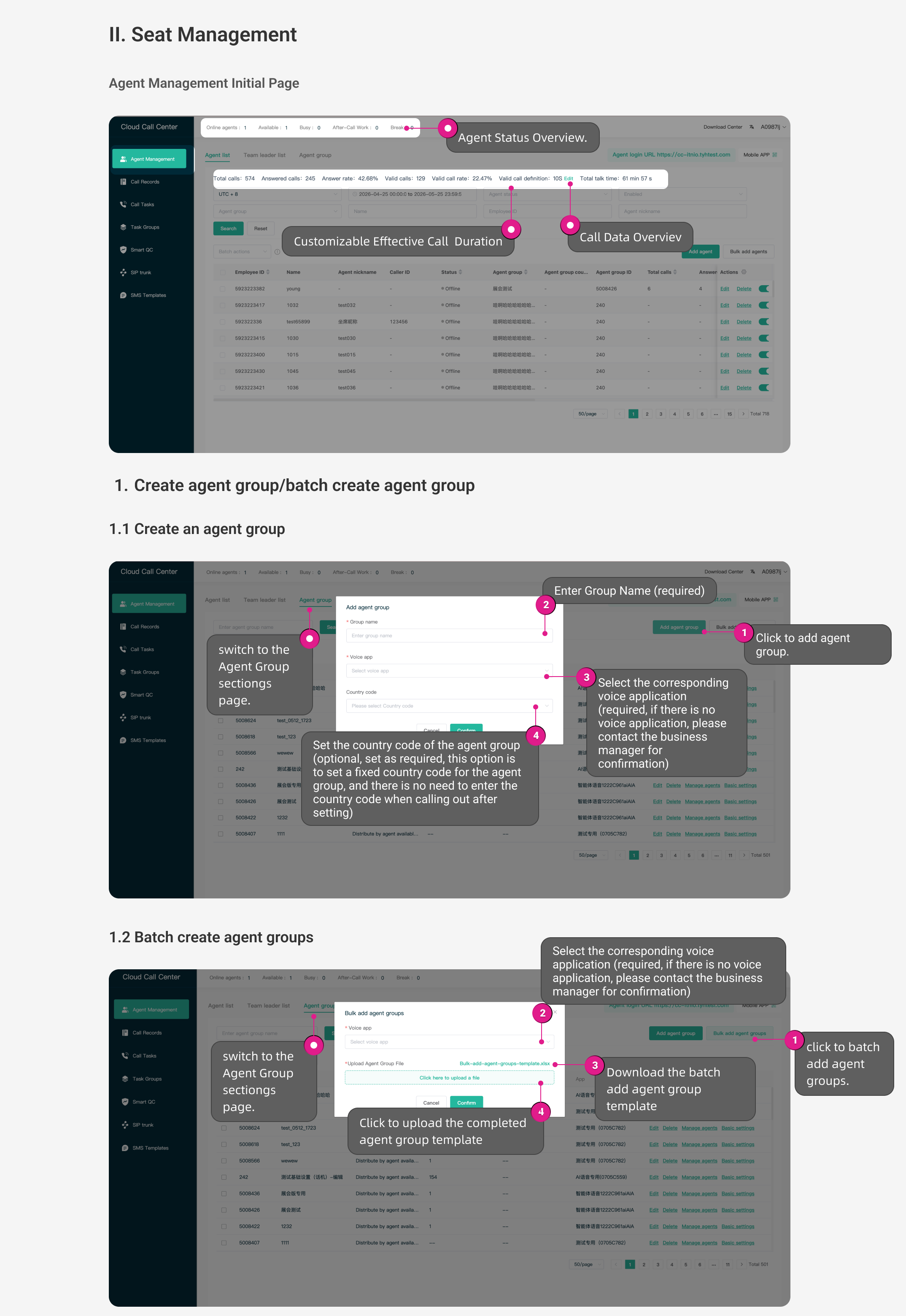
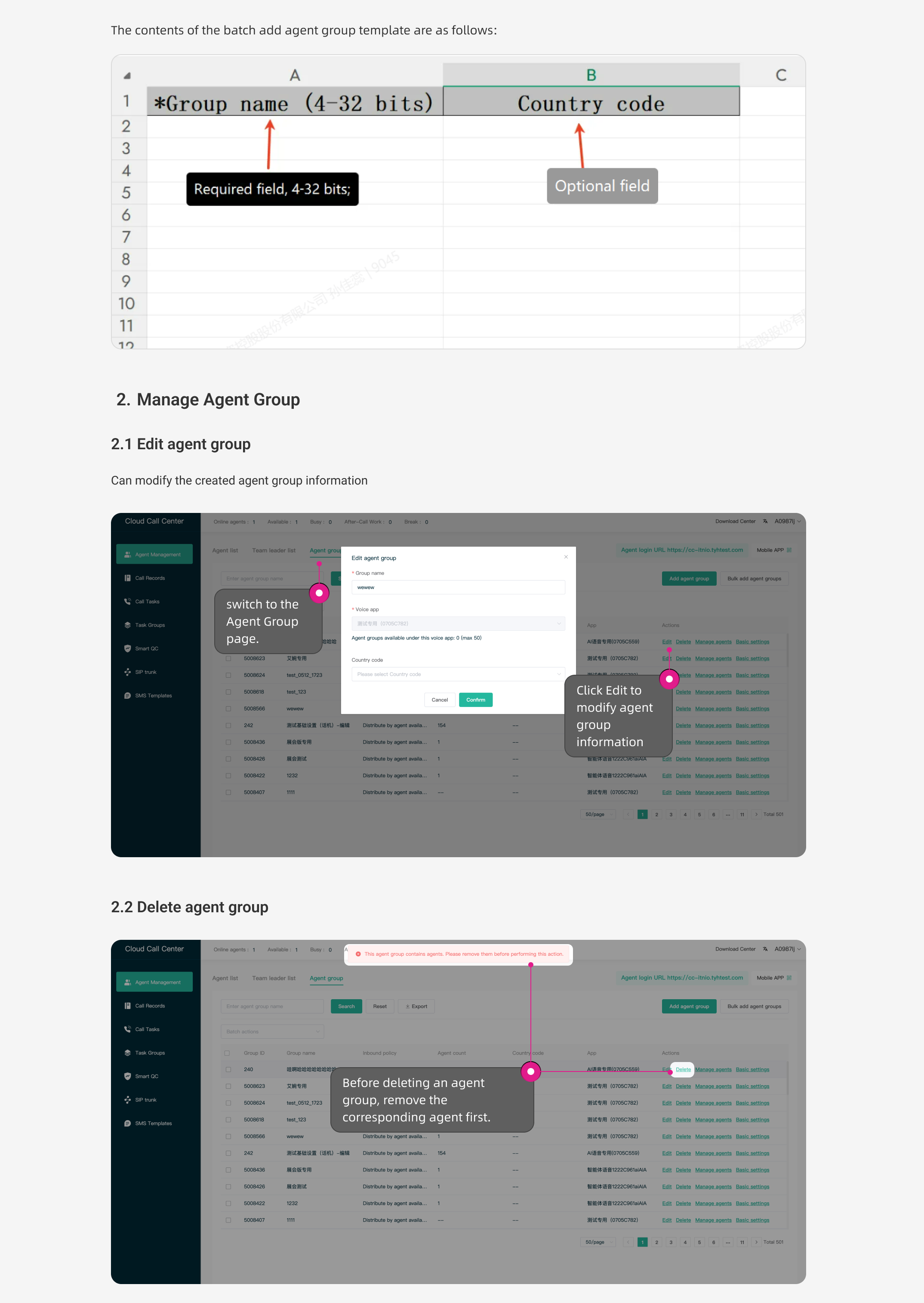
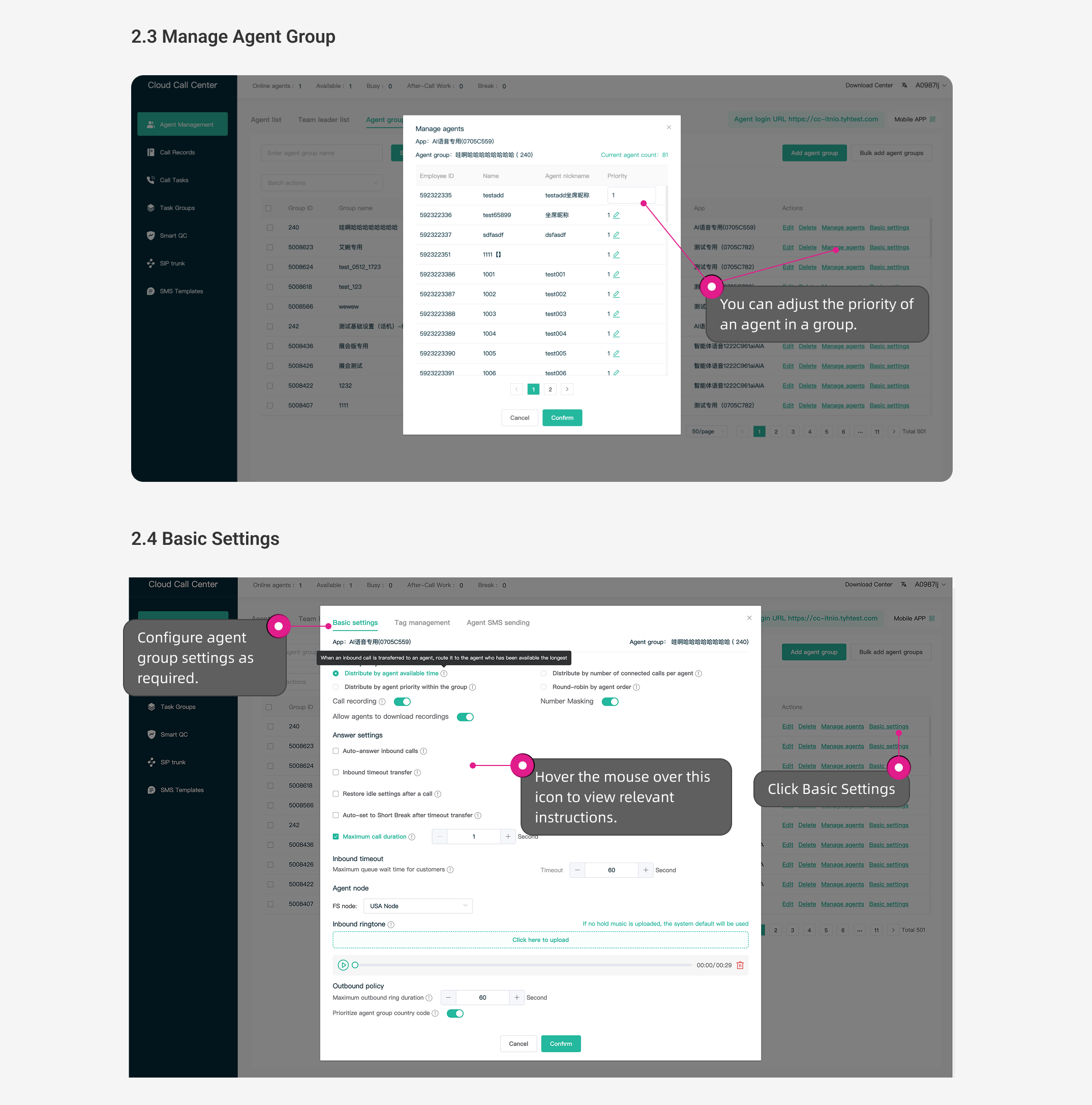
Follow these steps:


Was this page helpful?
Questions about integration? Contact our technical support
LAAFFIC API dedicated TG technical support channel, real-time response to your needs